Tracking & Attribution
First-party cookie tracking, direct link matching, standalone conversion pages, and configurable attribution models for affiliate referrals.
Referral Tracking
Royal Affiliate Pro uses cookie-based tracking to attribute sales to the correct affiliate.
How It Works
- Visitor clicks an affiliate link:
yoursite.com/?ref=affiliatecode - The plugin sets a
rafp_refcookie containing the affiliate ID, campaign ID, and timestamp - The cookie persists for a configurable duration (default: 30 days)
- When the visitor makes a purchase, the cookie is read and a referral is created
URL Parameters
| Parameter | Purpose |
|---|---|
?ref=code |
Main referral parameter |
?affiliate=code |
Alternative referral parameter |
?campaign=slug |
Campaign tracking |
?creative=id |
Creative tracking |
Tracking Settings
| Setting | Default | Description |
|---|---|---|
| Cookie Duration | 30 days | How long the tracking cookie persists |
| Referral Code Format | Username | Username-based or random code |
| Link Format | Pretty | Pretty URLs (/ref/code/) or query string (?ref=code) |
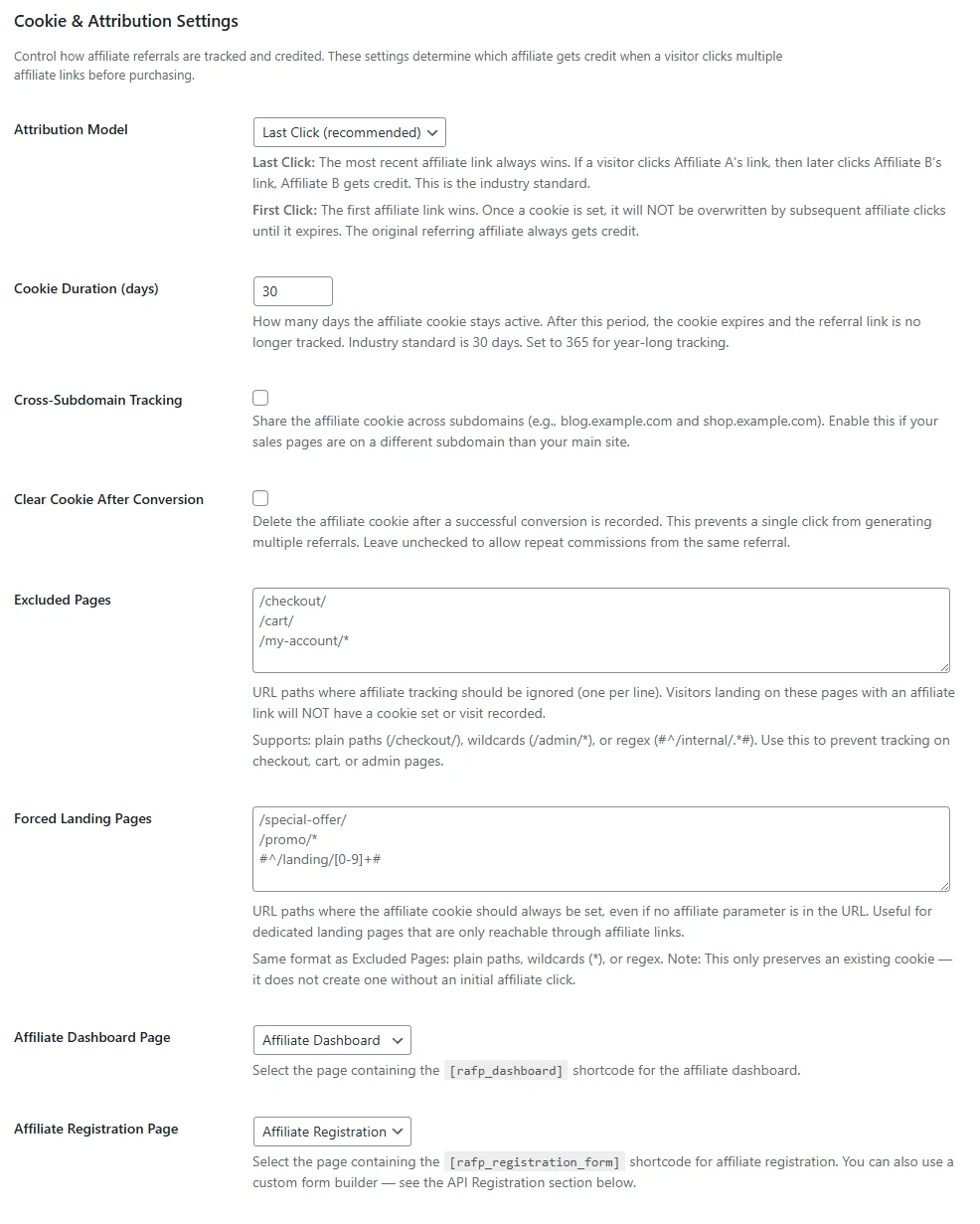
| Cross-Subdomain | Off | Share cookies across subdomains |
| Clear After Conversion | Off | Remove cookie after first purchase |
Attribution Models
Choose how Royal Affiliate Pro attributes sales when a customer clicks multiple affiliate links.
Available Models
- First Click - The first affiliate to send the customer gets credit for all purchases. The original cookie is never overwritten.
- Last Click (Default) - The most recent affiliate click overwrites the cookie. The last affiliate to send the customer gets credit.
Excluded Pages
Block referral tracking on specific URLs. Supports wildcards and regex patterns to exclude checkout pages, admin areas, or any URLs where tracking should not apply.
Forced Landing Pages
Designate specific pages as forced landing pages. When an affiliate link lands on these pages, the cookie expiration is refreshed, extending the tracking window.
Standalone Conversions
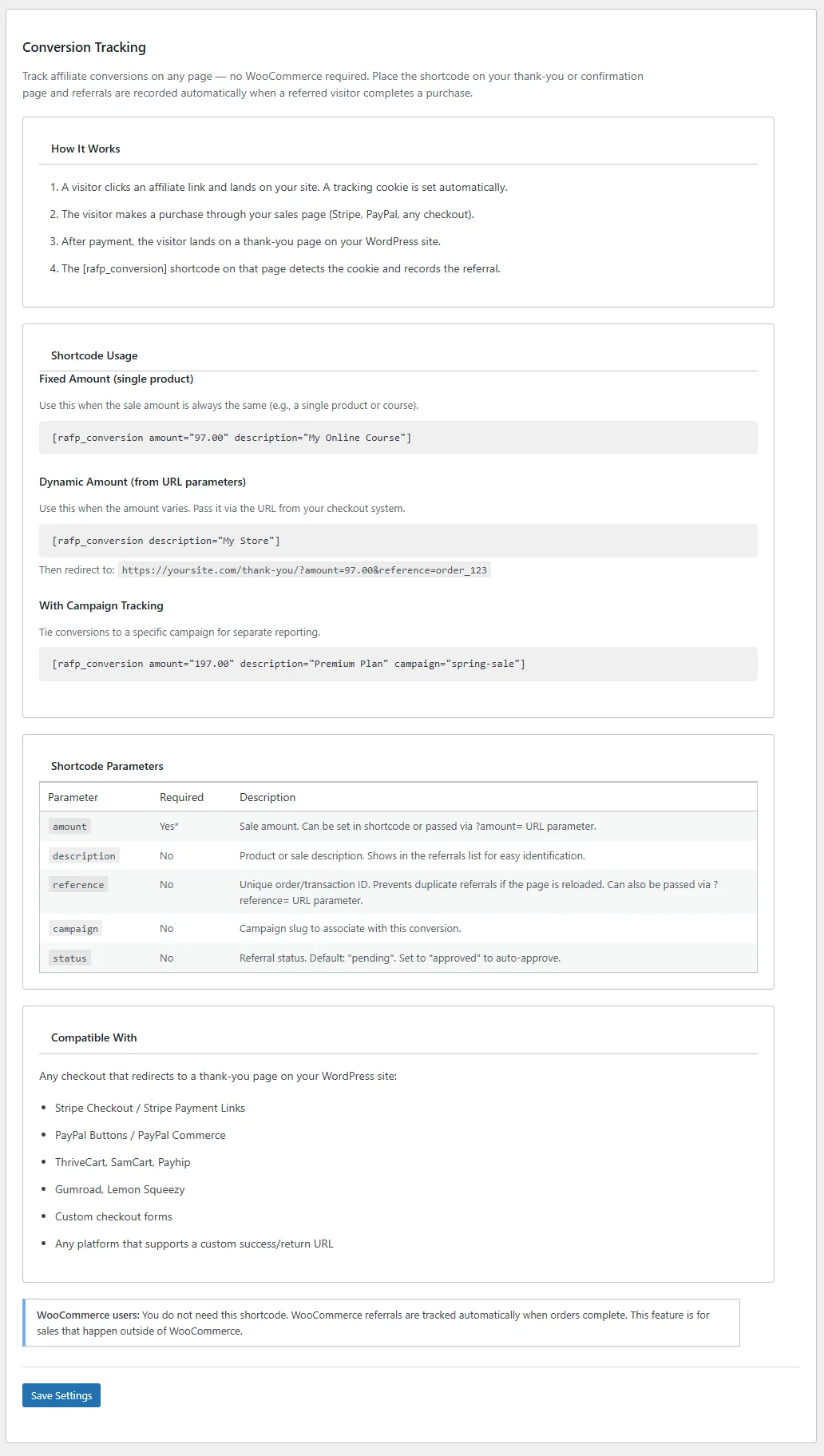
Track affiliate referrals without WooCommerce by placing the [rafp_conversion] shortcode on any thank-you or confirmation page.
This feature requires an Agency license.
How It Works
Place the shortcode on a confirmation page that visitors reach after completing an action (purchase, signup, form submission). The shortcode reads the affiliate tracking cookie and creates a referral.
Works With
- Stripe Checkout
- PayPal
- ThriveCart
- Gumroad
- Any external checkout that redirects back to your site
Dynamic Amount Support
Pass the sale amount and reference via URL parameters for accurate commission calculation:
yoursite.com/thank-you/?amount=99.99&reference=INV-001
Direct Link Tracking
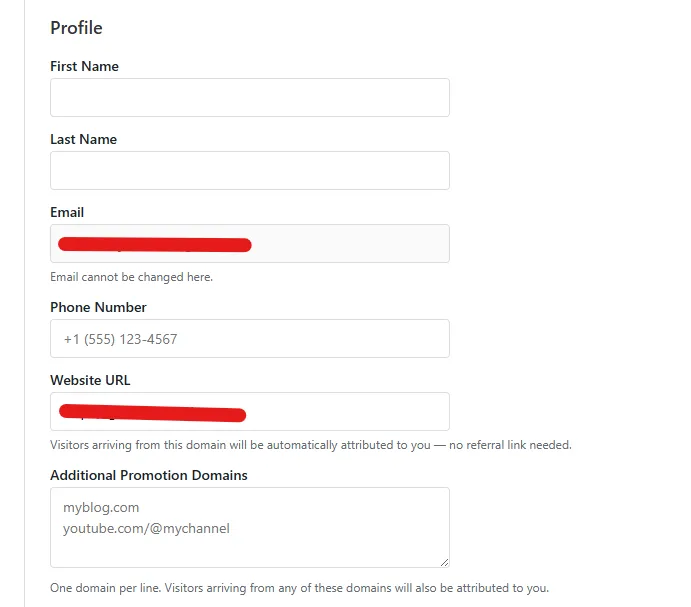
Attribute visits without the ?ref= parameter by matching the HTTP Referer header against affiliate-registered domains.
How It Works
- Affiliates register their website domains in their dashboard under Profile → Promotion Domains
- When a visitor arrives at your site, Royal Affiliate checks the Referer header
- If the referer domain matches a registered affiliate domain, the tracking cookie is set automatically
- No
?ref=parameter needed — the affiliate gets credit for the visit
Limitations
- The HTTP Referer header is not always sent (HTTPS → HTTP, privacy settings, some browsers)
- Not a replacement for cookie-based tracking — use as a supplementary attribution method
- Domain matches are cached with a 1-hour transient for performance