Make your site accessible to everyone
Royal Access adds a floating accessibility toolbar to your WordPress site — letting visitors adjust font size, contrast, spacing, cursor size, and more. Plus an Accessibility Audit that scans your posts and pages for common issues with plain-English fix guidance, and automatic code fixes for skip links, focus styles, and viewport scaling.
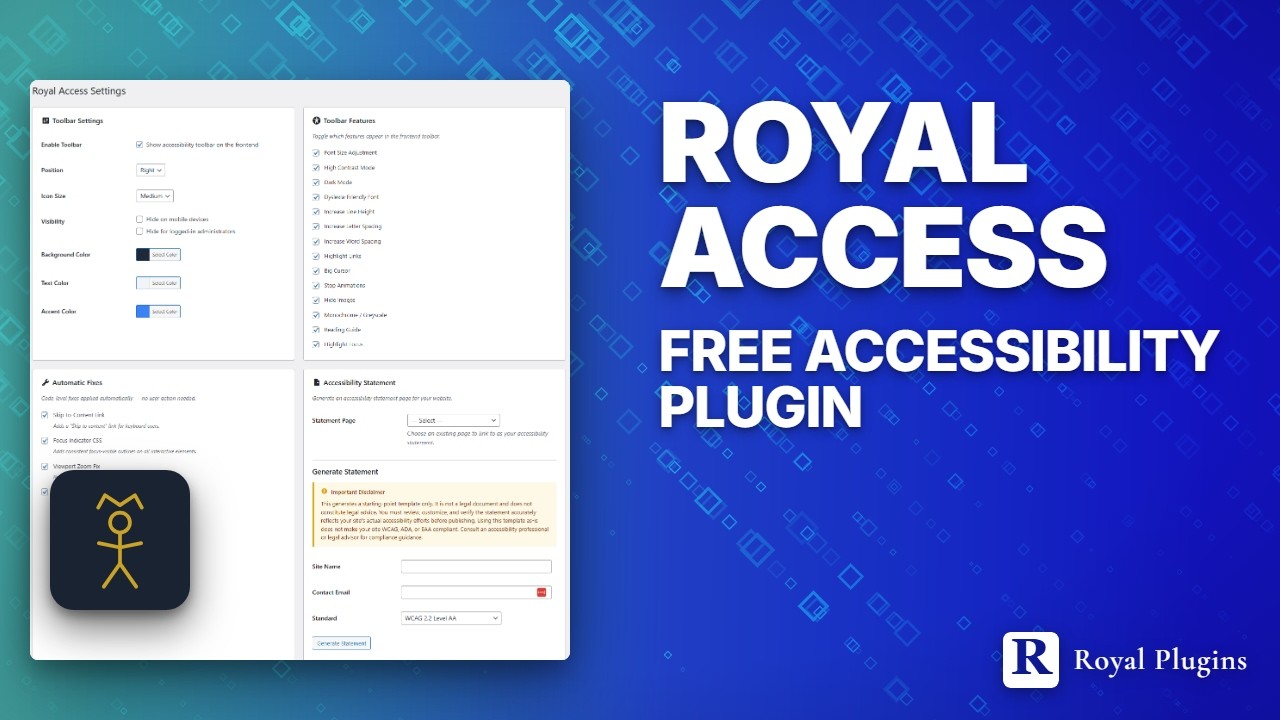
“Try it live” launches a real WordPress site in your browser with the accessibility toolbar pre-activated — no signup, closes when you leave the tab.
Everything you need
Full accessibility controls without the bloat. Just the essentials, done right.
Floating Toolbar
A customizable accessibility toolbar that floats on any page. Visitors can adjust font size, contrast, spacing, cursor, and more without leaving the page.
High Contrast Modes
Light, dark, and inverted contrast modes help low-vision users read your content. Applies instantly with no page reload.
Auto Skip Link
Automatically injects a skip-to-content link after the body tag, letting keyboard users bypass navigation instantly.
Big Cursor & Reading Guide
Large cursor option for motor impairment, plus a horizontal reading guide that follows the mouse to help with line tracking.
Accessibility Audit
Scan every published post and page for missing alt text, heading skips, empty or non-descriptive link text, and missing HTML language attribute. Every violation comes with plain-English "how to fix" guidance.
Contrast Checker
Built-in WCAG contrast ratio checker. Test any two colors against AA and AAA standards right from the admin settings page.
Statement Generator
Generate a starting-point accessibility statement from your admin panel. Pre-filled with your site name, contact info, and selected standards.
One toggle. Instant accessibility.
Enable the toolbar, pick your features, and your visitors get full control over how they experience your site.
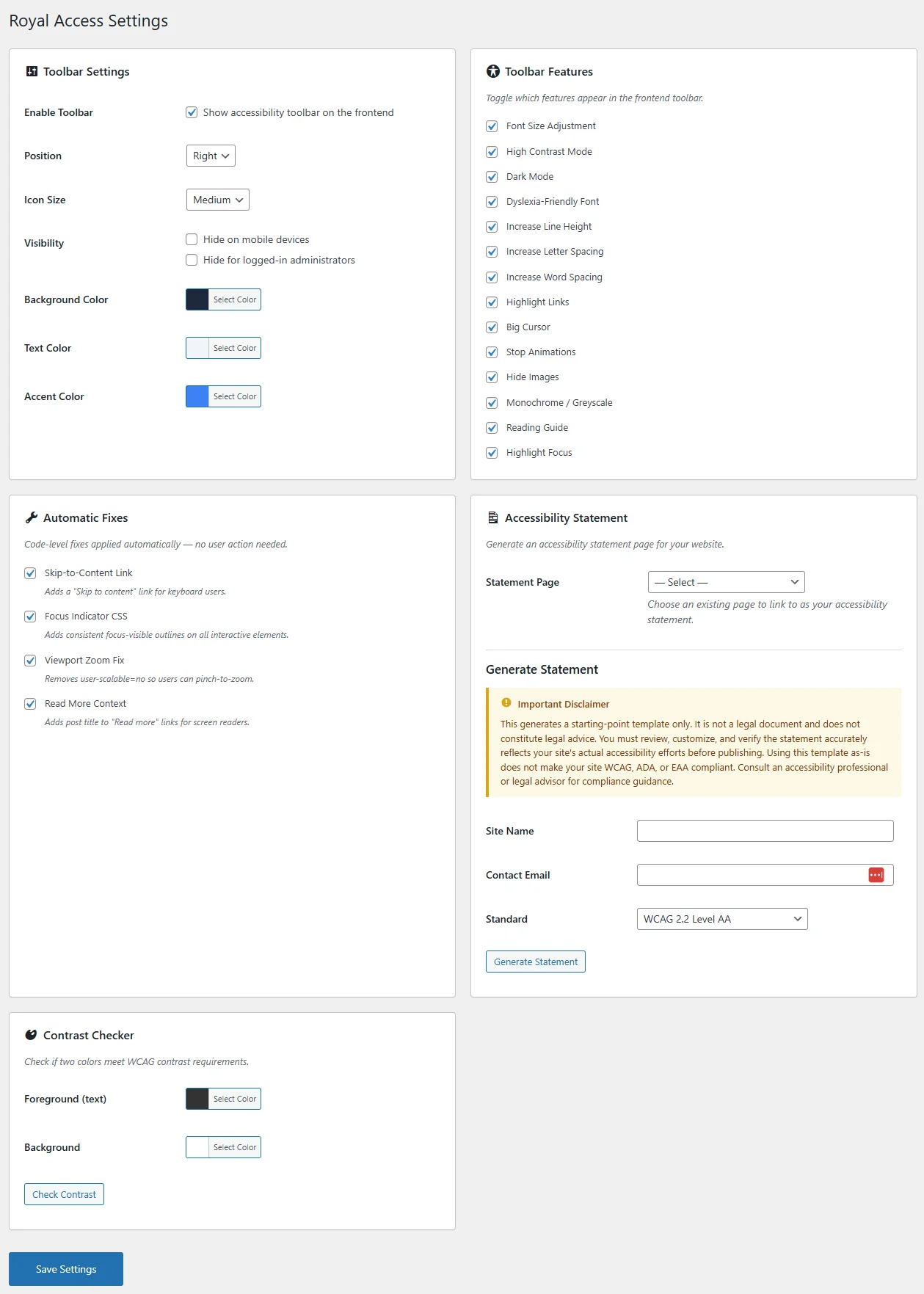
Admin settings panel
What your visitors see
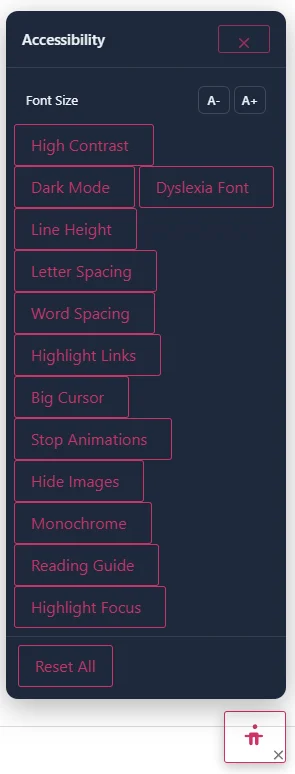
Floating accessibility toolbar with 14 features
Find the issues before your visitors do.
Scan every published post and page for the accessibility issues plugins can catch reliably — missing alt text, heading skips, empty or non-descriptive link text, missing HTML language attribute. Every violation ships with plain-English "how to fix" guidance. No jargon.
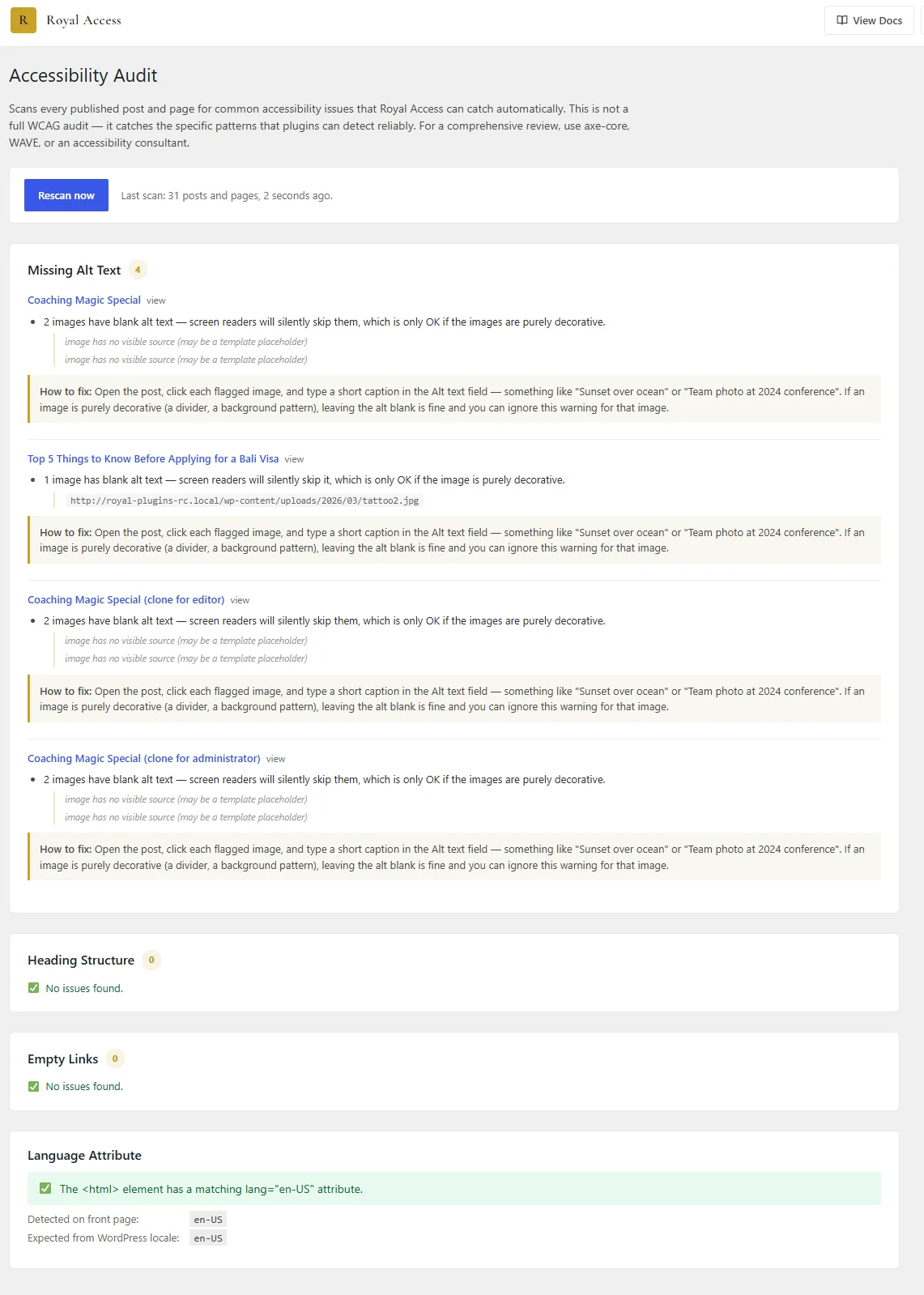
Accessibility Audit report — per-post findings with fix guidance
Built for every WordPress site
Whether you run a blog, a store, or a business site, accessibility matters.
Business Websites
Meet accessibility expectations for your business site. Give every visitor the tools to navigate comfortably.
Education & Government
Schools and public sector sites need accessible content. Royal Access adds a toolbar without redesigning your theme.
eCommerce Stores
Help shoppers with visual or motor impairments browse products, read descriptions, and complete checkout.
Learn, configure, improve
Articles, docs, and a place to get help.
Make your site accessible today
Download Royal Access and give every visitor the tools to browse comfortably. Free forever, no account required.