FormForge Pro — Complete WordPress Form Builder
Contact forms, multi-page surveys, quizzes, payment forms, and conversational flows in one drag-and-drop builder. 110 pre-built templates, conditional logic on every plan, Stripe & PayPal, PDF generation, and 20+ email, CRM & automation integrations. No add-on store, no per-form license, no entry caps.
Stop Losing Leads to Bad Forms
Forms are the gateway between your visitors and your business. Every contact form, survey, registration, and checkout is a conversion point. Yet most WordPress form builders are either too simple to be useful or so bloated they slow your site to a crawl.
FormForge Pro gives you professional-grade form building without the performance penalty. One plugin, everything included, zero add-on fatigue.
Other Form Builders
- $200+ for payments, logic, and integrations as add-ons
- Bloated code that slows your site
- No analytics or conversion tracking
- Basic builders with limited flexibility
- According to HubSpot, forms with conditional logic see 30% higher completion rates in 2025. No quiz, survey, or conversational modes
With FormForge Pro
- 110 templates — such as contact forms, surveys, payment forms, and booking forms — & everything included — no add-on fees
- Lightweight code, assets loaded only when needed
- Built-in analytics with views, submissions, and conversion rates — for example, tracking which form fields cause abandonment
- Advanced builder with 30+ field types
- Quiz, survey, multi-page, and conversational modes
Your forms are your business's front door. Make the first impression count with forms that convert.
Lighter Than the Competition
FormForge ships 110 templates, every form mode, payments, integrations, and analytics in ~6.8MB — smaller than WPForms Lite alone, before you even add WPForms paid extensions to match the feature set. FormForge Pro size measured locally; competitor sizes from WP.org Content-Length on free / Lite versions, May 2026. Pro versions of competitors ship larger.
60+ features built-in. No add-ons.
Here's the complete list of what FormForge Pro ships with, grouped by what each one does for your forms.
Builder & Fields 8
- Drag-and-drop visual builder
- 30+ field types (text, email, file, signature…)
- Multi-column layouts
- Field groups & sections
- Repeater fields (dynamic rows)
- Calculated fields
- Custom HTML / Markdown blocks
- Save & resume submissions
5 Form Modes 5
- Standard inline forms
- Conversational (Typeform-style)
- Multi-page with progress bar
- Quiz mode with scoring
- Survey mode with NPS / Likert
Templates 5
- 110 pre-built templates
- Contact & lead-gen library
- eCommerce & payment forms
- Quiz & survey templates
- Custom template save / share
Payments 6
- Stripe (one-time + subscriptions)
- PayPal Standard / Express
- Variable-amount donations
- Tiered product / pricing fields
- Coupon code support
- Tax calculation
Logic & Automation 5
- Conditional show / hide fields
- Skip-page logic
- Field dependency rules
- Auto-fill from URL parameters
- Auto-fill from logged-in user data
Integrations 8
- Mailchimp / Kit / ActiveCampaign
- HubSpot CRM
- Salesforce
- Google Sheets sync
- Zapier (1000+ apps)
- Make / Pabbly
- Webhook events (custom)
- Royal Affiliate Pro lead tracking
Analytics & Reporting 5
- Submission volume dashboard
- Field-level drop-off analysis
- Conversion funnel by step
- Quiz / survey result reports
- CSV export for any view
Spam & Security 5
- reCAPTCHA v2 / v3 / Turnstile
- Honeypot fields
- Akismet integration
- IP / country / referrer rate limits
- GDPR-compliant submission storage
Notifications & PDF 5
- Email notifications (admin + user)
- Conditional email routing
- PDF generation per submission
- Custom PDF templates
- File-upload attachments to email
Powerful Builder, Simple Interface
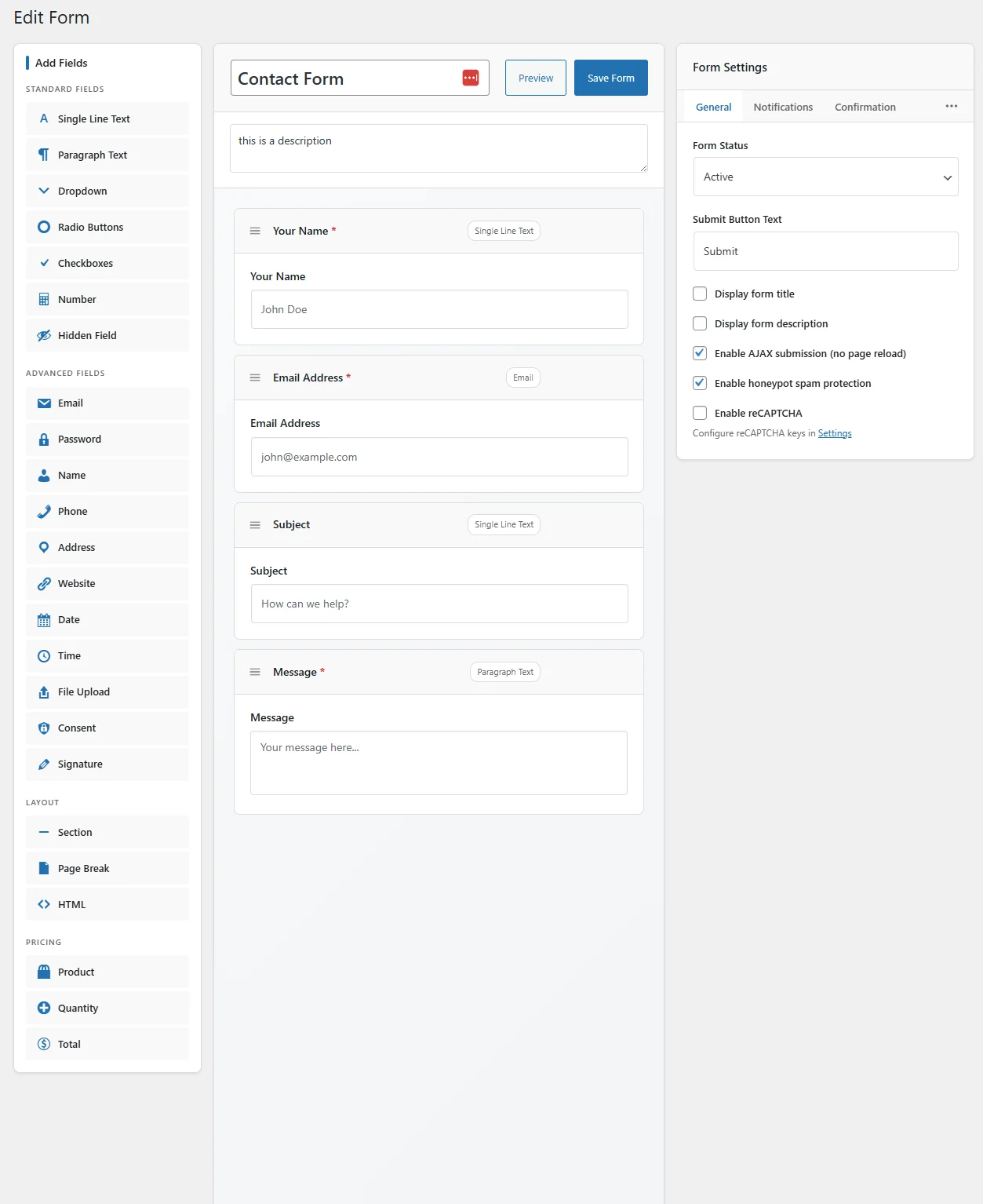
Visual Drag & Drop Builder
Build forms visually with our intuitive drag-and-drop interface. 30+ field types, multi-column layouts, and real-time preview — no code needed.
- 30+ field types
- Multi-column layouts
- Real-time preview
- Field duplication & reordering
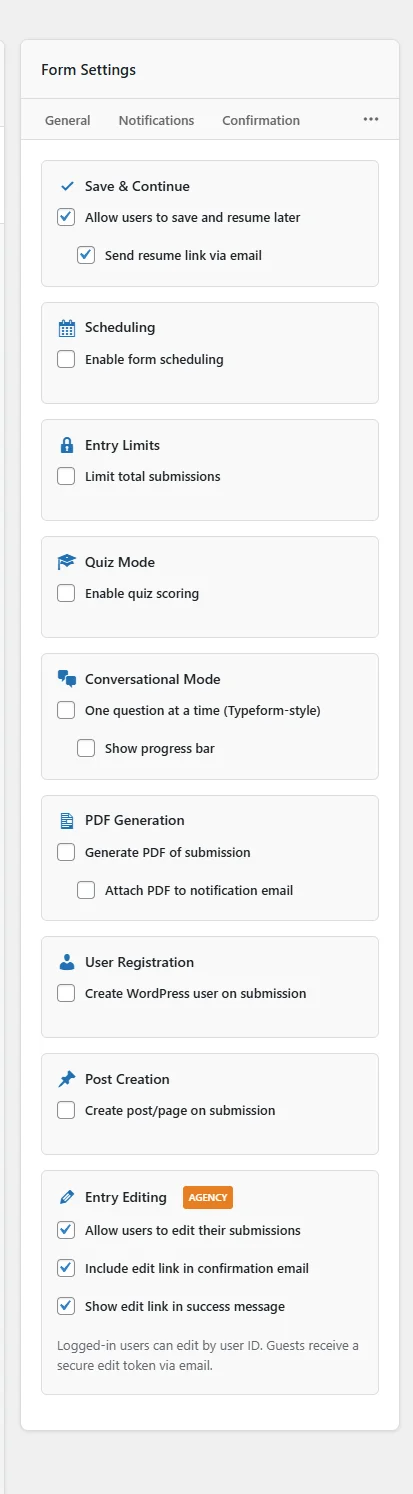
Comprehensive Form Settings
Fine-tune every aspect of your form behavior. From notification emails and confirmation messages to access restrictions and scheduling.
- Custom email notifications
- Confirmation messages & redirects
- Submission limits & scheduling
- Anti-spam protection
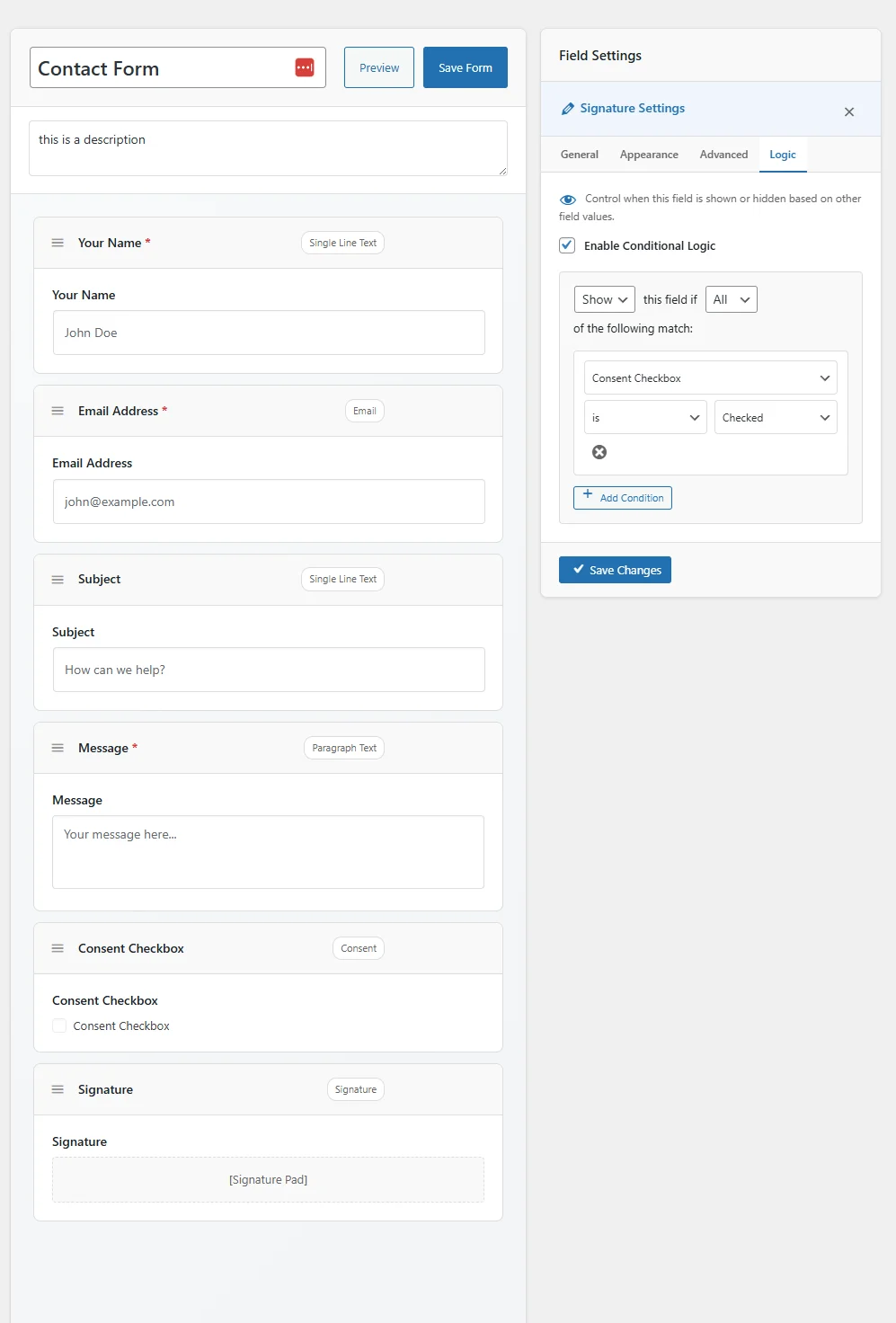
Smart Conditional Logic
Create dynamic forms that respond to user input. Show or hide fields, skip pages, change validation rules, and route notifications based on answers.
- Show/hide fields dynamically
- Conditional page skipping
- Smart email routing
- Multiple conditions per rule
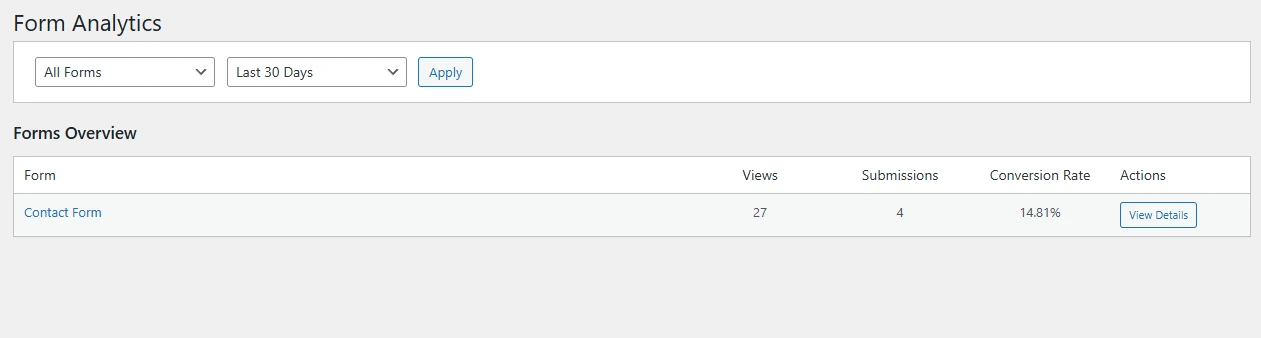
Built-In Analytics
Know exactly how your forms perform. Track views, submissions, conversion rates, and referral sources with beautiful charts and actionable insights.
- Views & submission tracking
- Conversion rate analysis
- Referrer source tracking
- Date range filtering
20+ Integrations Built-In
Connect your forms to the tools you already use. Mailchimp, Salesforce, Zapier, Google Sheets, Slack, and more — all included with no add-on fees.
- Mailchimp, ConvertKit, ActiveCampaign
- Salesforce, HubSpot CRM
- Google Sheets, Zapier, webhooks
- Slack notifications & webhooks
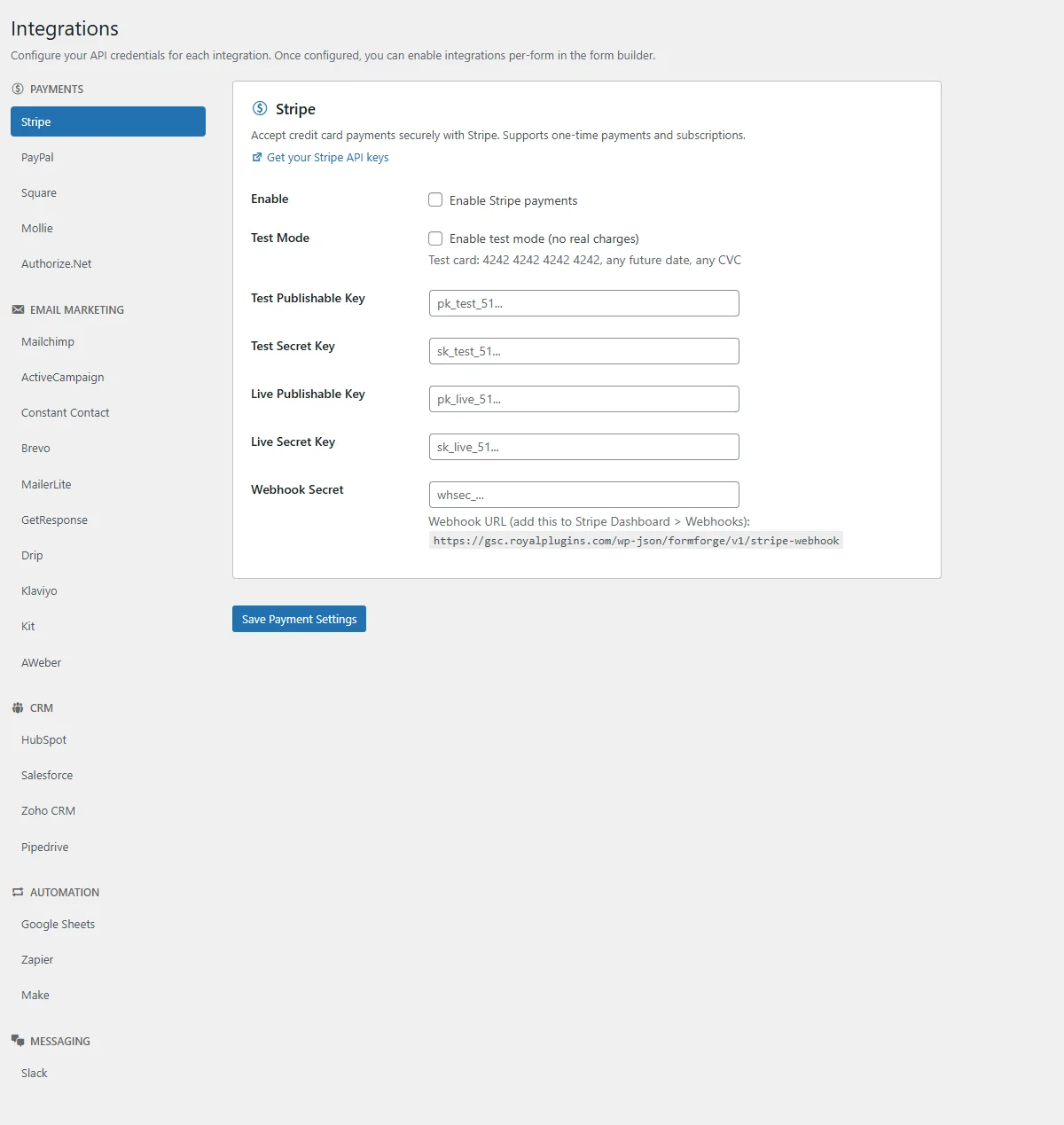
Payment Forms
Accept payments directly through your forms. Stripe and PayPal integration means you can sell products, collect donations, or process orders without any extra plugins.
- Stripe & PayPal integration
- One-time & recurring payments
- Variable-amount donations
- Order confirmation emails
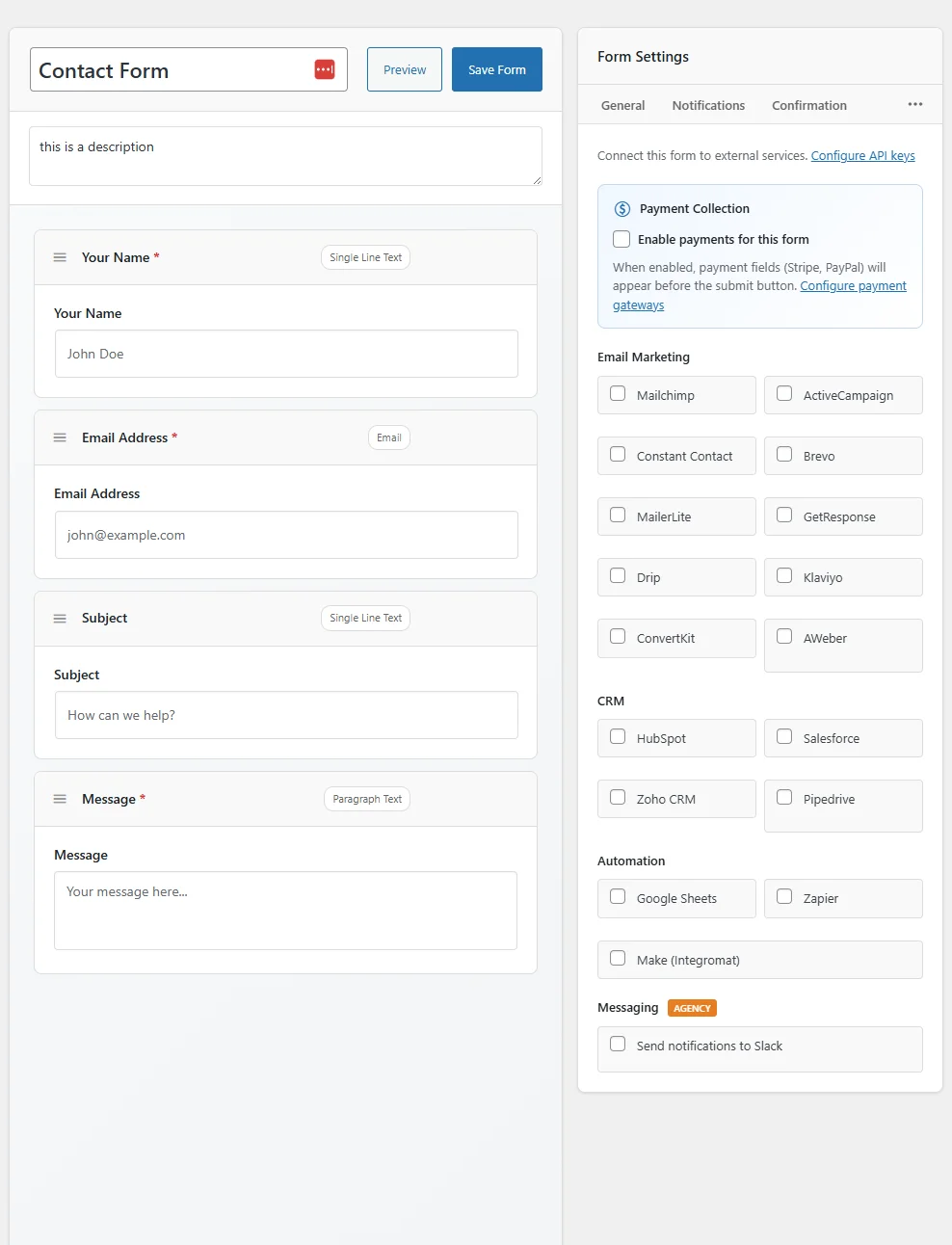
110 Pre-Built Templates
Launch professional forms in seconds, not hours. Choose from 110 templates across 16 categories — contact forms, invoices, surveys, quizzes, bookings, HR workflows, and more. Customize any template to fit your brand.
- 40 Pro + 40 Business + 30 Agency templates
- 16 categories: contact, payment, survey, quiz, HR, legal & more
- One-click apply, then customize with drag & drop
- Browse all 110 templates →
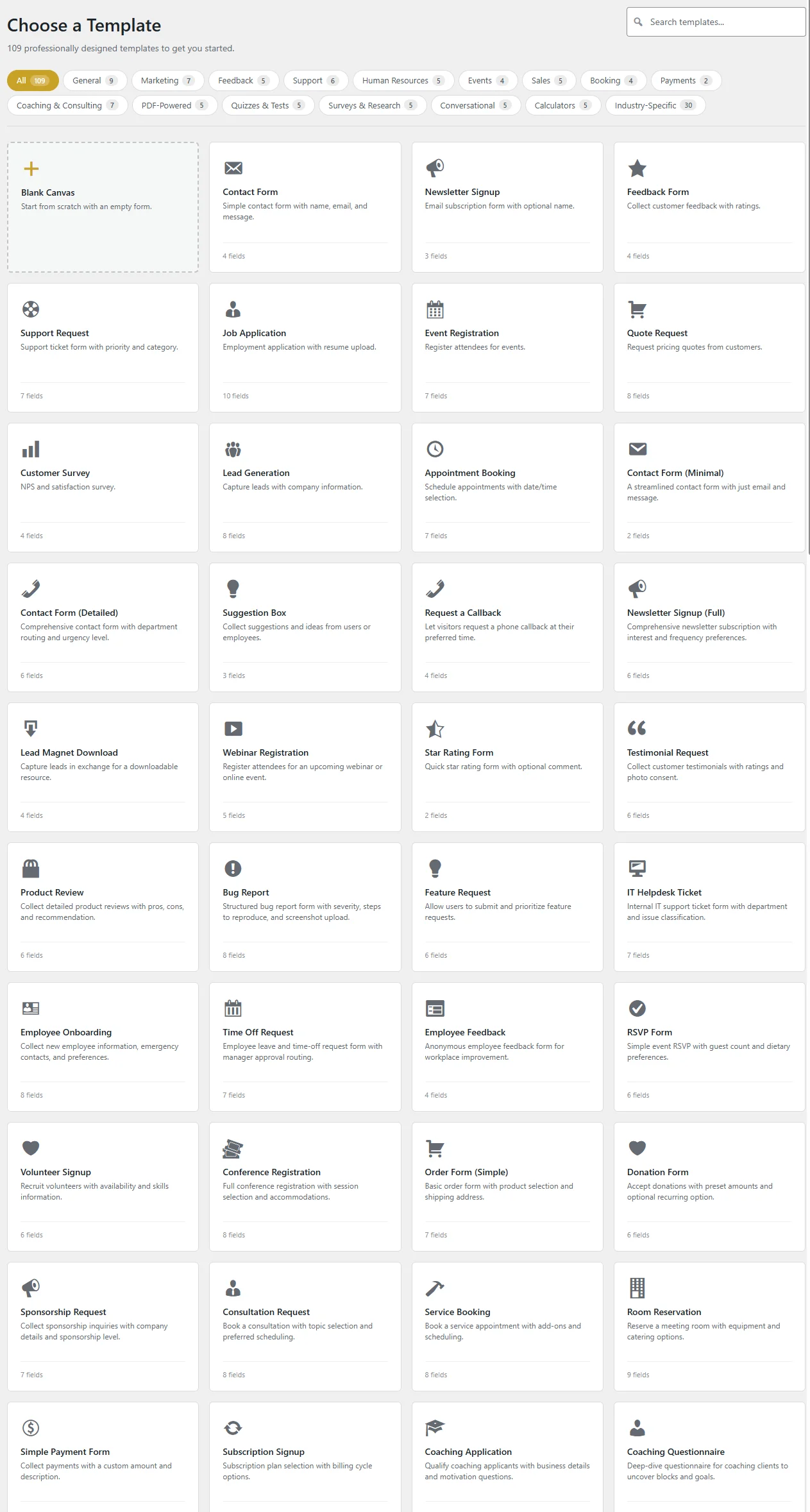
Beautiful Frontend Forms
Forms that look great on every device. Clean, modern styling that adapts to your theme with full customization options for colors, spacing, and layout.
- Responsive on all devices
- Theme-aware styling
- Custom colors & typography
- Progress bars for multi-page forms
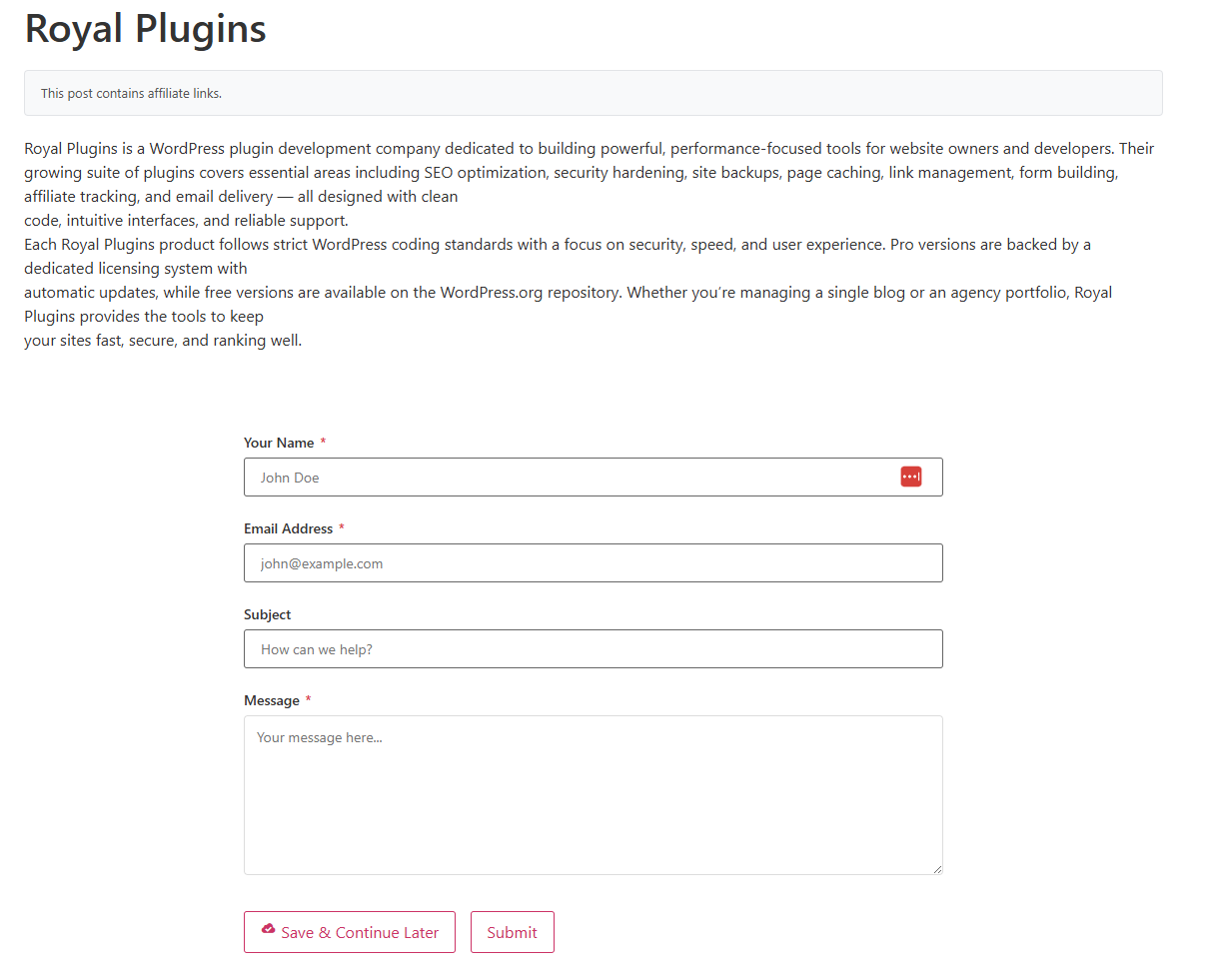
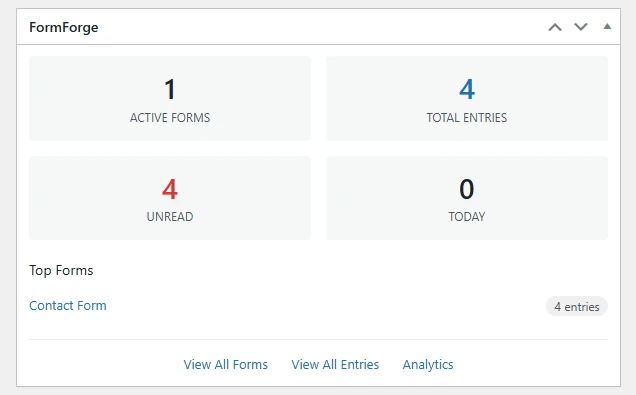
WordPress Dashboard Widget
See your form performance at a glance right from the WordPress dashboard. Recent submissions, conversion stats, and quick links — no extra navigation needed.
- Recent submissions overview
- Quick conversion stats
- Form performance at a glance
- Quick link to entries
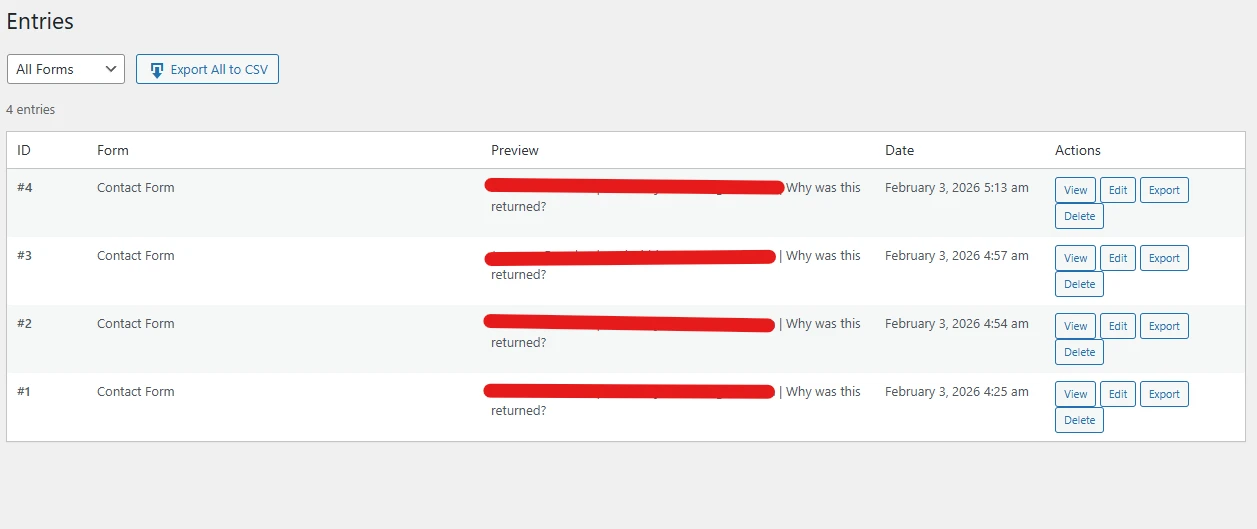
Submission Management
All form submissions stored securely in your WordPress database. Search, filter, export, star important entries, and manage everything from a clean, familiar interface.
- Search & filter entries
- CSV & PDF export
- Star & label entries
- Bulk actions & deletion
One plugin. Five ways to collect input.
A contact form and a quiz aren't the same thing. A long survey and a checkout form aren't either. FormForge ships five distinct form modes so you can match the format to what you're actually trying to learn or sell.
Standard
Inline contact, signup, and lead-gen forms. The classic format users expect — rendered fast, accessible, and Elementor / Gutenberg native.
- 30+ field types
- Multi-column layouts
- Inline shortcode & block embedding
- Auto-fill from URL / user data
- Save & resume support
Conversational
Typeform-style one-question-at-a-time experience. The format that ate Typeform's market — cleaner, less intimidating, and noticeably better completion on long lead-gen forms.
- Full-screen single-question UX
- Custom transition animations
- Progress bar & navigation
- Brand colors & logo
- Keyboard-driven completion
Multi-Page
Long forms split into logical steps. For applications, intake forms, complex onboarding — with progress bar, save / resume, and per-step validation.
- Configurable progress bar
- Per-step validation & navigation
- Save & resume mid-form
- Skip-page conditional logic
- Step-level analytics (drop-off)
Quiz
Scored quizzes with instant results. Per-question scoring, weighted answers, results pages with a result archetype based on score range.
- Per-question scoring & weights
- Result archetypes (score ranges)
- Custom result pages w/ images
- Time-limit option per quiz
- Lead capture before / after results
Survey
NPS, Likert scales, ratings, multi-select. Built-in aggregation and reporting so you can analyze answers without exporting to a spreadsheet.
- NPS (Net Promoter Score) field
- Likert scale & star rating fields
- Built-in aggregated reports
- Cross-tab analysis by field
- Anonymous-mode option
Payment
Standalone or combined with any other mode. Stripe + PayPal native, subscription support, variable amounts for donations or pay-what-you-want pricing.
- Stripe Connect & PayPal native
- One-time + recurring subscriptions
- Variable-amount fields
- Coupon & tax field types
- Combine with quiz / survey for upsell
Now publish what you collect
Every other form plugin stops at “submission received.” FormForge Displays turns your form entries into public front-end pages — a searchable directory, a month calendar, or a chronological timeline — from the same entry data, without a separate CMS.
Directory
Responsive card grid with title, subtitle, thumbnail, and body preview. Search box + AJAX pagination. Perfect for member lists, business directories, portfolio showcases.
- Card-grid layout, mobile-responsive
- Search box across configured fields
- Per-Display page size
- Approved-only moderation filter
Calendar
Month view driven by any date field on the source form. Click any event to expand details. Great for event submissions, appointment bookings, community meetups.
- Month grid with prev / next navigation
- Event popover with configured detail fields
- Multi-event per day supported
- Requires one date field on source form
Timeline
Chronological feed sorted newest-first (or oldest-first) with date grouping. Perfect for project updates, testimonials, changelog feeds, or milestone tracking.
- Newest / oldest sort toggle
- Optional date grouping headers
- Public / logged-in / role-restricted
- Shortcode + Elementor widget
FormForge Pro vs the popular form plugins
The five most popular WordPress form plugins, compared on what's included in core vs hidden behind paid add-ons.
| Feature | ProFormForge | ProWPForms | ProGravity Forms | ProFluent Forms | PlusFormidable |
|---|---|---|---|---|---|
| Drag-and-drop builder | ✓ | ✓ | ✓ | ✓ | ✓ |
| Conditional logic | ✓ | ✓ | ✓ | ✓ | ✓ |
| Conversational forms (Typeform-style) | ✓ | Add-on | × | Pro tier | × |
| Quiz mode with scoring | ✓ | Add-on | Add-on | × | × |
| Survey + NPS | ✓ | Add-on | Add-on | ✓ | × |
| Stripe + PayPal native | ✓ | Add-on | Add-on | ✓ | Add-on |
| Recurring subscriptions | ✓ | Add-on | Add-on | ✓ | × |
| PDF generation per submission | ✓ | Add-on | × | Add-on | ✓ |
| Built-in analytics & drop-off | ✓ | × | × | Pro tier | Pro tier |
| Mailchimp / Kit / ActiveCampaign | ✓ | Add-on | Add-on | ✓ | Add-on |
| Save & resume submissions | ✓ | Add-on | Add-on | ✓ | ✓ |
| Publish entries (directory / calendar / timeline) | ✓ | × | × | × | Add-on |
| Templates included | 110 | ~75 | ~15 | ~75 | ~50 |
| Plugin size on disk | ~6.9MB | ~12MB | ~10MB | ~13MB | ~15MB |
| Yearly cost (1 site, all features) | $99–$199 | $199–$599 | $259–$359 | $129–$249 | $99–$299 |
Pricing accurate as of May 2026. Tier names and exact pricing change — check vendor sites for current details. “Add-on” means the feature requires a separate paid extension on top of the base license; “Pro tier” means the feature only appears on the highest paid plan.
Tuned for the way your forms work
Same plugin, different goal. Pick the angle that matches what your forms collect.
Lead-Gen Sites
Higher-converting funnels
Conversational mode meaningfully lifts completion rates on long lead-gen forms. Quiz mode captures leads with personalized results. Built-in CRM sync (Mailchimp / Kit / ActiveCampaign) means no Zapier middle layer.
- Conversational + quiz modes
- CRM sync (Mailchimp / Kit / ActiveCampaign)
- Drop-off analytics by step
- Auto-fill from URL parameters (UTM)
- Royal Affiliate Pro lead tracking
Course Creators
Quizzes & surveys built-in
Quiz mode with scoring, result archetypes, and timer support — no separate quiz plugin. NPS surveys and Likert scales for student feedback. PDF generation for certificates of completion.
- Quiz mode w/ scored result pages
- NPS & Likert survey fields
- Custom PDF certificates
- Save & resume mid-quiz
- Time-limit option per quiz
eCommerce & Donation
Stripe & PayPal native
Standalone payment forms, variable-amount donations, recurring subscriptions, coupons, tax fields. Combine with quiz mode for product-finder funnels that recommend + sell in one flow.
- Stripe + PayPal native
- Recurring subscriptions
- Variable-amount donation fields
- Coupon & tax field types
- Quiz-to-product upsell flows
Agencies
100 sites, 110 templates
One $299/yr license activates FormForge Pro on up to 100 client sites. Custom template save / share so your agency's intake form ships across new clients without rebuilding.
- 100 sites for $299/yr
- Custom template save & share
- Brandable form styles
- Webhooks for client-CRM sync
- Priority support
30-Day Money-Back Guarantee
If you aren't happy with our plugins, our features, or our support, reach out to our support team and request a refund within 30 days of your original purchase for a full refund.
View Refund Policy →Common Questions
Yes! You can run FormForge Pro alongside your existing form plugin during the transition. Recreate your forms using the drag-and-drop builder or start from 110+ templates, then deactivate your old plugin when ready.
Price: FormForge Pro starts at $99/year vs WPForms Pro at $199/year. Features that WPForms charges $299–$599 for (conversational forms, surveys, payments) are included in FormForge Business at $199.
Features: You get conversational forms, PDF generation, quiz mode, built-in analytics, and all 20+ integrations included — no add-on upsells. WPForms requires separate paid add-ons for each.
Size: FormForge Pro is just 6.9 MB with 110 templates and every feature included. WPForms Lite alone is 12 MB — before you even add the paid add-ons. If you're looking to cut down on plugin bloat, FormForge does more in nearly half the footprint.
Price: FormForge Business at $199/year includes features that Gravity Forms requires their Elite plan ($259/year) plus third-party plugins for.
Features: PDF generation, built-in analytics, conversational forms, quiz mode, and 20+ integrations are all included — no hunting for add-ons or paying per-feature. Gravity Forms still lacks built-in PDF generation and analytics entirely.
Size: FormForge Pro packs 110 templates and every feature into just 6.9 MB. Gravity Forms core plus the add-ons you need to match that feature set adds up to a much larger footprint on your server.
No. FormForge is built with performance in mind. The entire plugin is just 6.9 MB — nearly half the size of WPForms Lite (12 MB) despite including 110 templates, payments, and 20+ integrations. Assets are only loaded on pages that actually contain forms, and all scripts are optimized and minified. It adds zero overhead to pages without forms.
Absolutely. FormForge works with Elementor, Gutenberg, Divi, Beaver Builder, and any theme. It includes a native Elementor widget and shortcode embedding for any editor.
FormForge Pro integrates directly with Stripe and PayPal. You can accept one-time payments or variable-amount donations. No additional plugins needed.
FormForge Pro is a premium plugin. It includes 110 pre-built templates, all features, 20+ integrations, and one year of updates and priority support. A 30-day money-back guarantee ensures you can try it risk-free.
Yes. Submissions are stored on your own server (no third-party cloud). Each form supports custom consent fields with timestamps, and submissions are exportable as JSON for Subject Access Requests. A one-click delete tool handles the right to be forgotten. The cookie banner integrations (CookieYes, Complianz, Iubenda) gate analytics tracking until consent is granted. Configurable retention periods auto-purge submissions older than X days.
Layered — pick what fits. Honeypot fields are invisible to humans but caught by bots, on by default. reCAPTCHA v2 / v3 and Cloudflare Turnstile are supported. Akismet integration cross-references submissions against the same comment-spam network. Per-form rate limits by IP / country / referrer stop submission floods. All blocking decisions are logged so you can audit false-positives.
Per-field configurable max size (up to your server's upload_max_filesize — typically 32MB–128MB) and accepted MIME types (whitelist by extension or MIME). Uploads can be stored in WordPress media library, in a private uploads folder (not browse-able), or sent to S3-compatible object storage (DigitalOcean Spaces, Cloudflare R2, Backblaze B2) for sites with high upload volume. Files are auto-attached to admin notification emails or available for download from the entry detail view.
Build, convert, automate
Documentation, feature deep-dives, and the rest of the Royal Plugins stack that pairs with high-converting forms.
Feature deep-dives
Documentation
"The best forms are the ones your visitors actually complete—because they're intuitive, beautiful, and just work."
Get FormForge Pro