One-click WordPress backups
By Jameson · Founder & Lead Developer · Updated September 2026
Complete WordPress backup, restore, and migration in one plugin. Full-site backups (database, plugins, themes, uploads) run reliably on shared hosting via async chunked processing. One-click restore gets you back online in minutes, migration packages ship with a standalone installer and automatic URL remap, and version 1.5.11 adds WP-CLI support so backups fit into your deploy scripts and cron jobs. No account, no cloud upload, no file size caps.
Need scheduled backups, cloud storage, and staging? Upgrade to SiteVault Pro →
Everything You Need to Protect Your Site
SiteVault includes all the essential backup features your WordPress site needs - completely free.
Full Site Backups
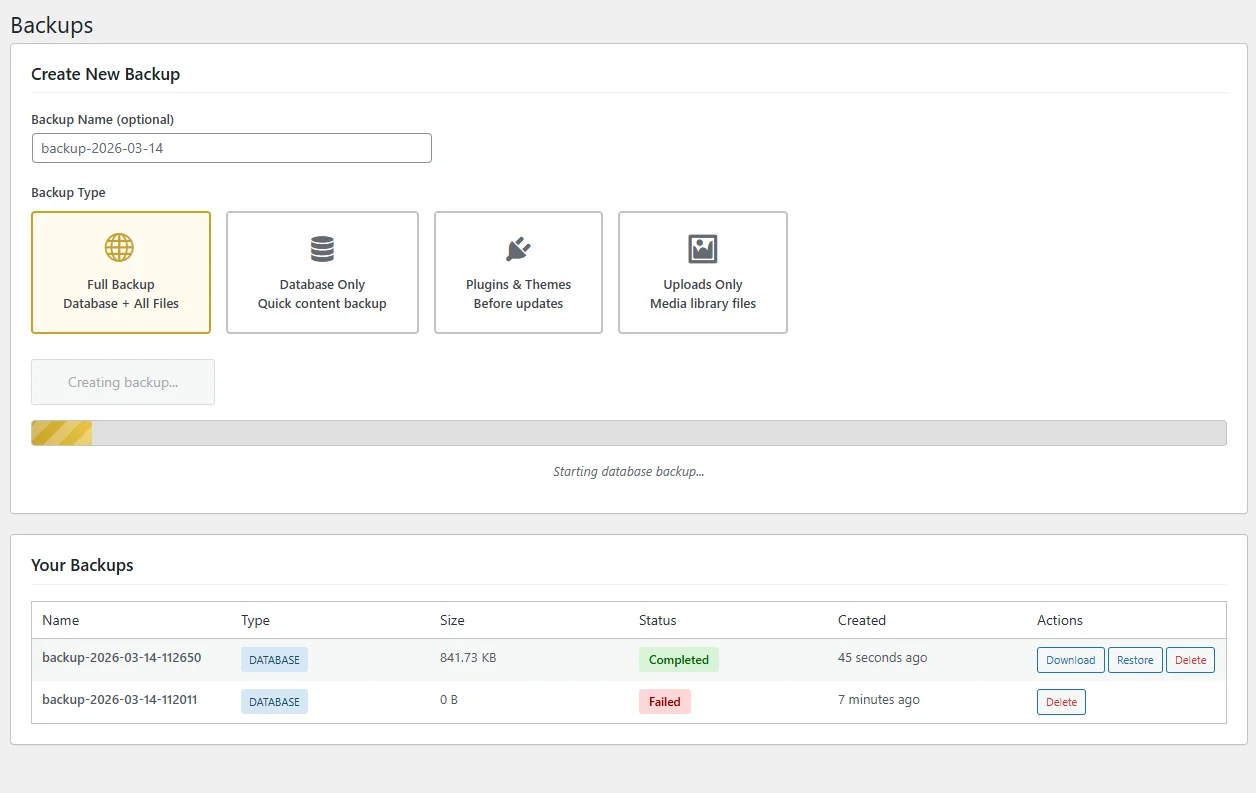
Create complete backups of your entire WordPress site including database, files, plugins, themes, and uploads with a single click.
Database Backups
Back up just your WordPress database for quick snapshots before updates, migrations, or major changes to your site.
File-Only Backups
Create backups of just your files - perfect for preserving themes, plugins, and media without the database overhead.
Scheduled Backups
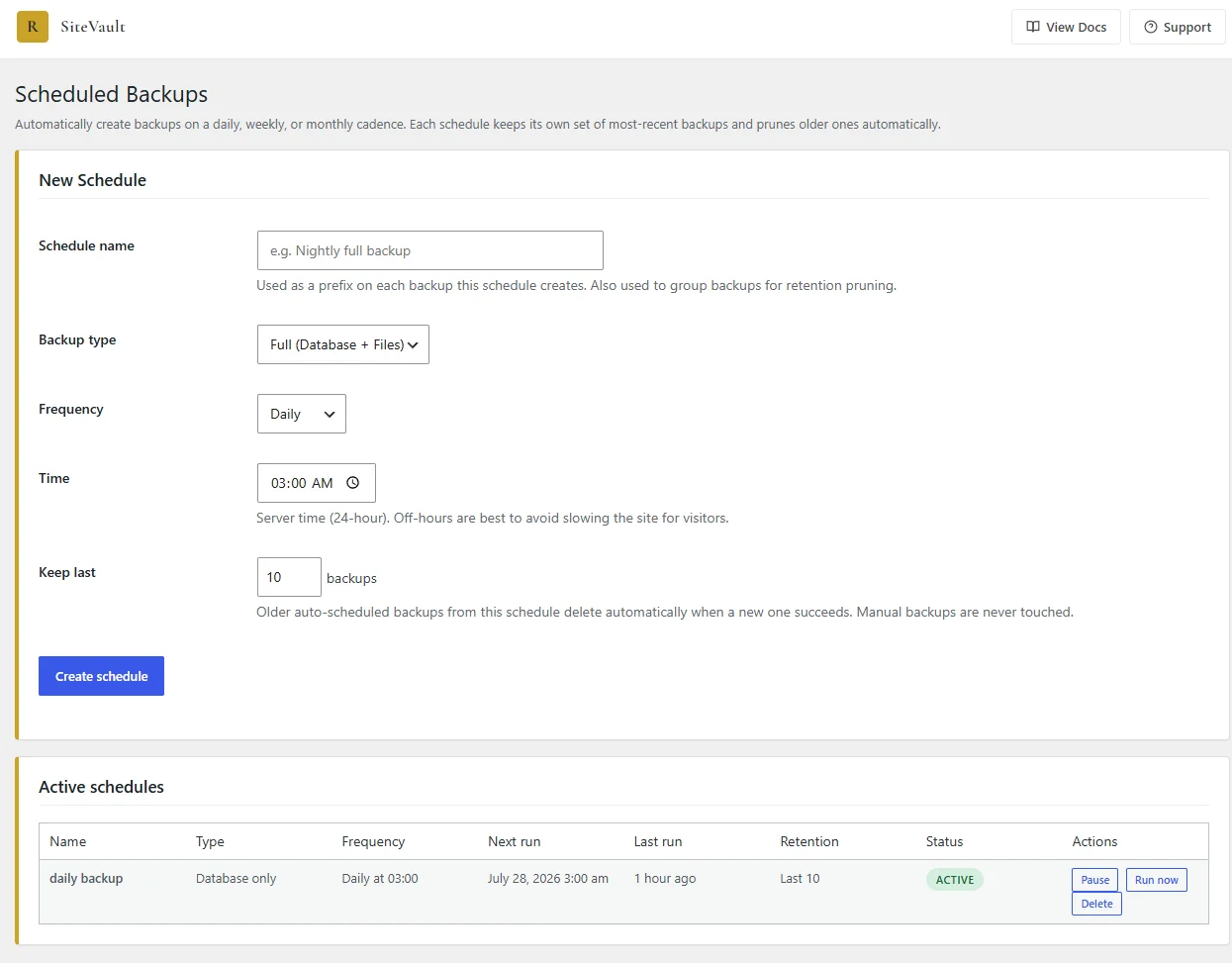
Set up daily, weekly, or monthly automatic backups that run in the background, with per-schedule retention pruning built in.
Easy Migration
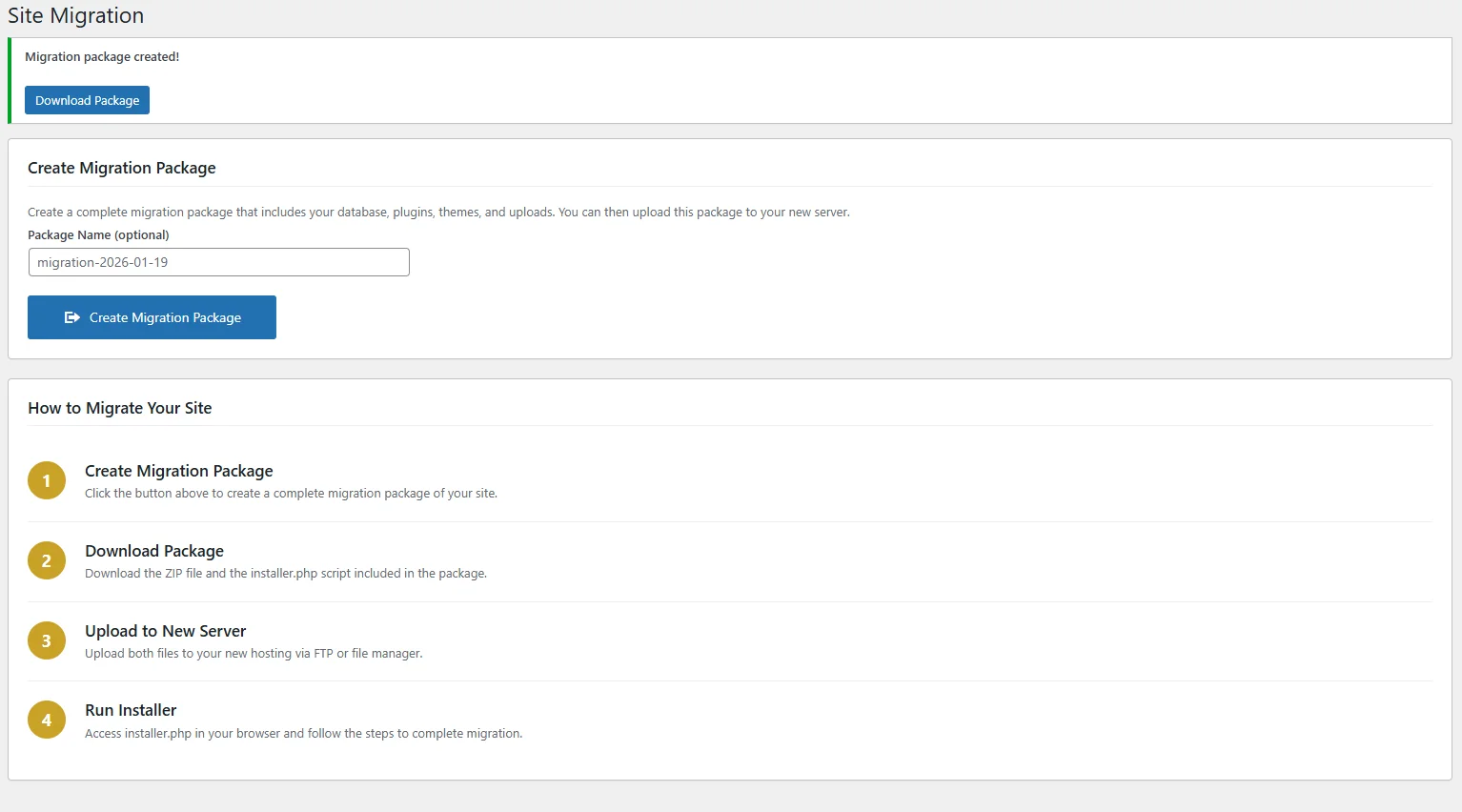
Move your WordPress site to a new host or domain with our built-in migration tool. Handles URL replacement automatically.
Download Backups
Download your backups directly to your computer for safekeeping. Store them anywhere you want for extra peace of mind.
One-Click Restore
Restore your site from any backup with a single click. Get back online quickly when something goes wrong.
Drive Backups From the Terminal
Full WP-CLI support in 1.5.11. Backup, restore, list, verify, and delete without touching wp-admin — perfect for agencies managing many client sites, unattended cron backups on hosts that disable WordPress cron, and pre-deploy snapshots.
--yes for unattended runs. --porcelain on backup outputs just the ID for scripting.Run
wp sitevault <command> --help for full option reference on any command.
Simple, Clean Interface
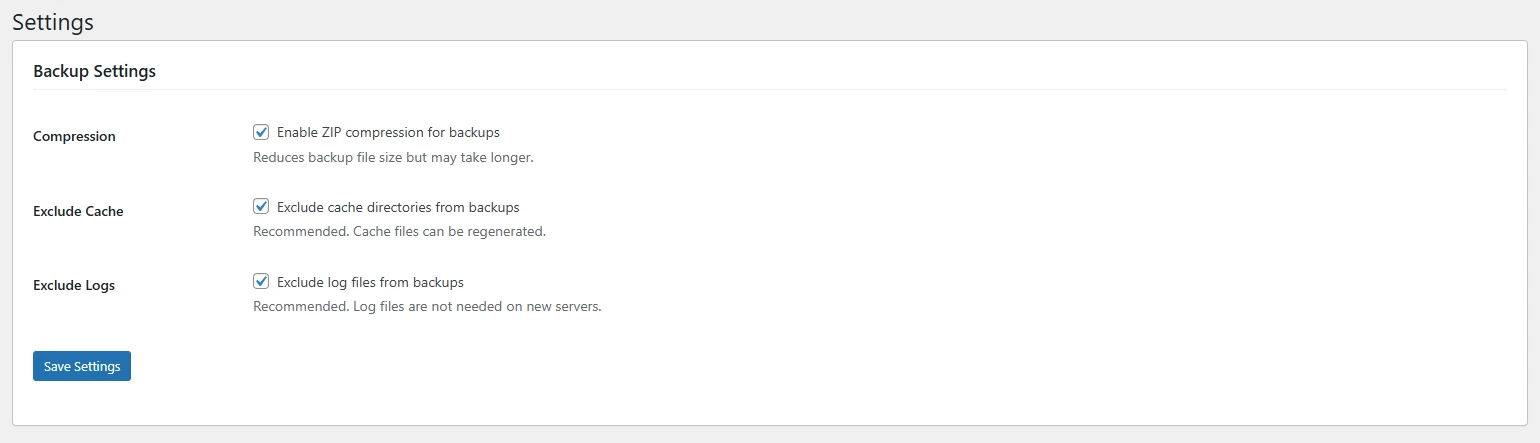
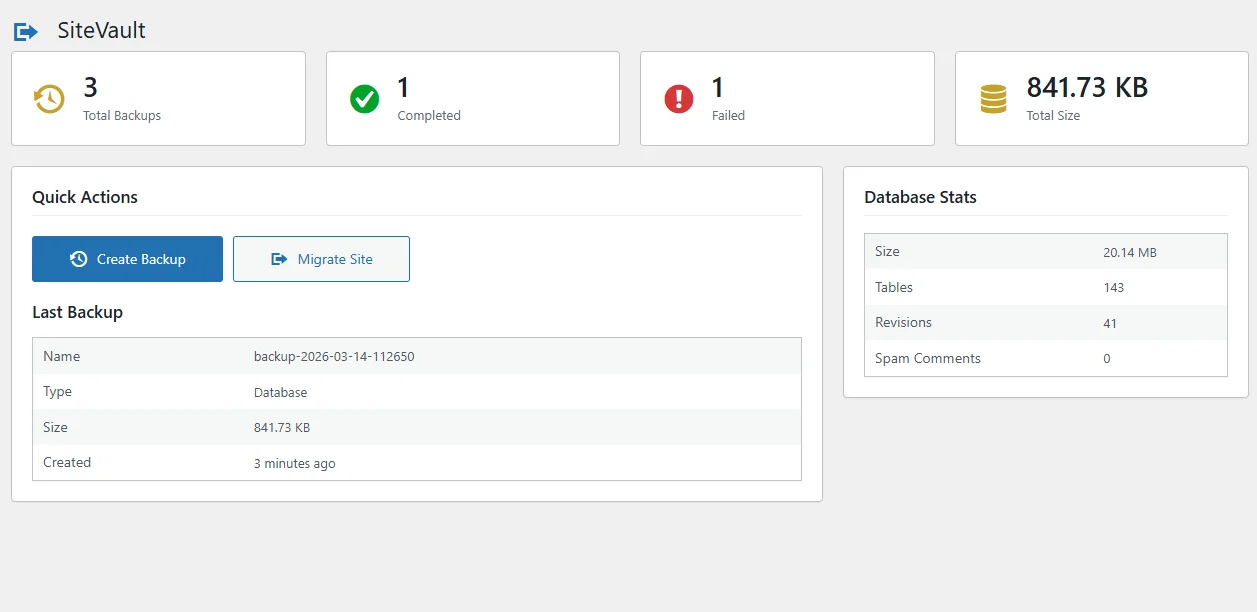
SiteVault is designed to be intuitive and easy to use, even for WordPress beginners.
Learn, back up, migrate
Articles, docs, and a place to get help.
Need More Power?
SiteVault Pro adds cloud storage, scheduled backups, staging sites, site health monitoring, and enterprise-grade features for serious WordPress sites. Choose from 3 plans to match your needs.
Cloud Storage
Automatically send backups to Google Drive, Amazon S3, Dropbox, or any S3-compatible storage.
Scheduled Backups
Set it and forget it. Schedule daily, weekly, or custom backup intervals.
Staging Sites
Create instant staging copies to test changes safely before going live.
Incremental Backups
Only back up what changed. Save storage space and speed up backup times.
Encryption
Protect your backups with AES-256 encryption for sensitive data.
Site Health Monitoring
Business+ plan: SSL, disk space, PHP errors, DB health, plugin updates, and Core Web Vitals.
Priority Support
Get fast, dedicated support from the team that built SiteVault.