Cloud Storage
Keep your WordPress backups safe by storing them off-server in the cloud. Never lose a backup due to server failure, hacking, or accidental deletion.
Get SiteVault Pro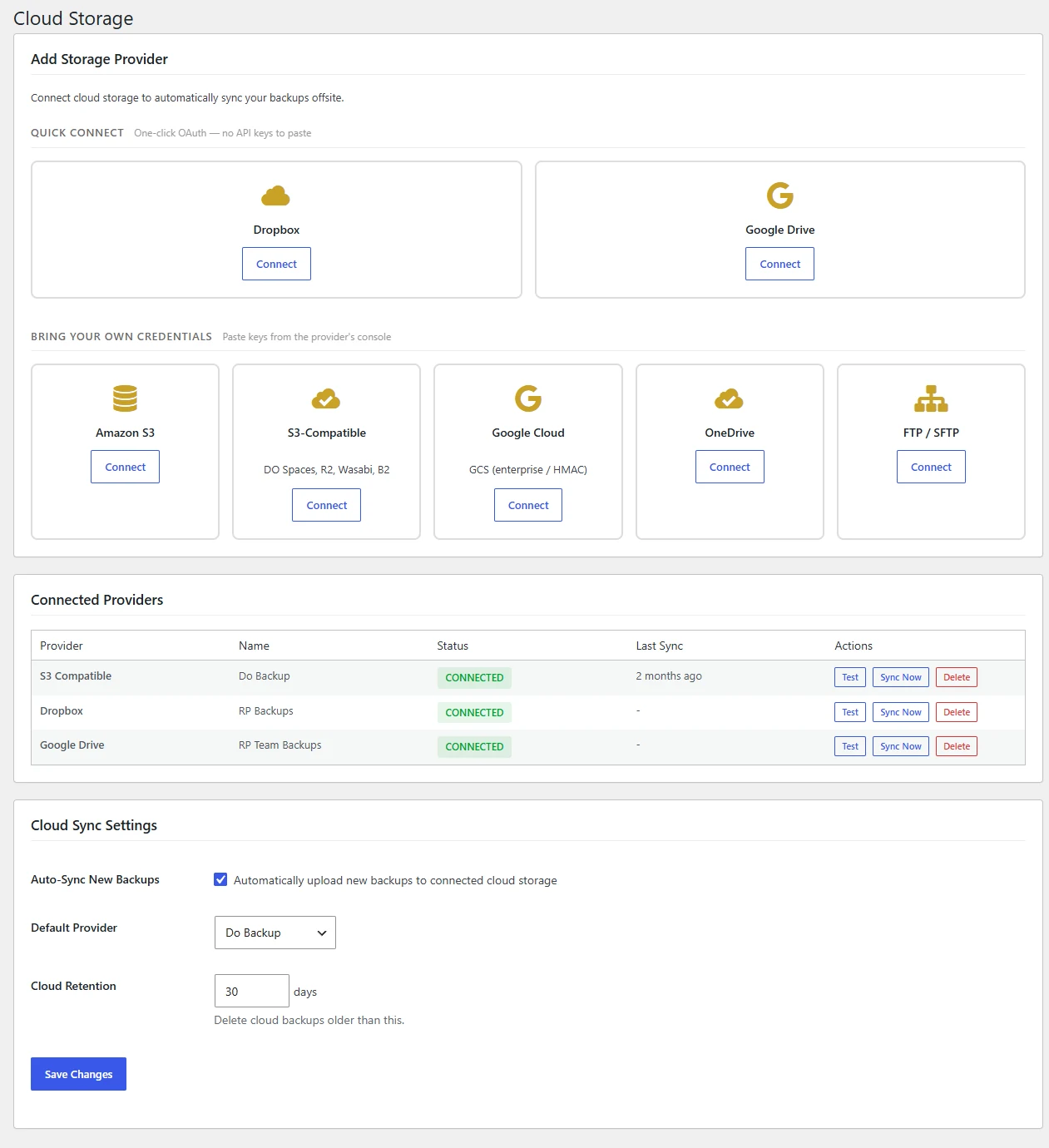
Supported Cloud Providers
Connect to your preferred cloud storage. Dropbox uses one-click OAuth; the rest take API keys you generate in their console. Use multiple destinations for redundancy.
Google Cloud
Enterprise-grade storage with global availability
Amazon S3
S3 and S3-compatible (Wasabi, DigitalOcean Spaces)
Dropbox
One-click OAuth connect — no developer app or token paste
Google Drive
One-click OAuth connect — drive.file scope, we only see files we create
OneDrive
Microsoft cloud integration for business
FTP / SFTP
Connect to any server via FTP or secure SFTP
Key Benefits
Cloud storage is essential for a robust backup strategy. Here's why it matters.
Off-Site Security
If your server crashes, gets hacked, or your hosting account is terminated, your backups remain safe in the cloud. True disaster recovery requires off-site storage.
Multiple Destinations
Configure multiple cloud storage providers simultaneously. Send backups to Google Cloud AND Amazon S3 for ultimate redundancy. Never put all your eggs in one basket.
Automatic Uploads
After each backup completes, it's automatically uploaded to your configured cloud destinations. Set it once and forget it. Your backups are always synced.
No Storage Limits
Use your cloud provider's full capacity. Whether you have 100GB or 10TB available, SiteVault Pro uses what you have. No artificial limits from us.
How It Works
Get started with cloud storage in just a few minutes.
Connect Your Account
Connect Dropbox or Google Drive in one click — SiteVault holds the OAuth refresh token on Royal Plugins' server so backups never break from an expired token. Other providers (Amazon S3, Google Cloud, OneDrive, FTP/SFTP) take API keys or credentials you generate in their console.
Configure Destinations
Choose which folder to store backups in. Add multiple destinations if you want redundant copies across different providers.
Automatic Sync
Every backup is automatically uploaded after completion. Retention policies clean up old backups in the cloud too.
Protect Your Backups in the Cloud
Get SiteVault Pro and store your backups safely off-server with multiple cloud destinations.
View Pricing