Royal Links Documentation
Complete guide to the full-featured link management solution for WordPress. Royal Links includes auto-linking, scheduling, geo-targeting, A/B testing, and advanced analytics — completely free.
Getting Started
Royal Links is our full-featured link management plugin, designed for professional marketers, affiliate managers, and businesses who need advanced link management capabilities. It is completely free on WordPress.org.
Features
Auto-Link Keywords
Automatically convert keywords in your content to affiliate links.
Link Scheduling
Schedule links to activate or expire at specific dates and times.
Geo-Targeting
Redirect visitors to different URLs based on their country.
Device Targeting
Send mobile and desktop users to different destinations.
A/B Split Testing
Test multiple destinations and track which performs better.
QR Code Generation
Generate scannable QR codes for any link instantly.
UTM Builder
Visual UTM parameter builder with reusable templates.
Product Display Boxes
Eye-catching product boxes with images and pricing.
Affiliate Disclosure
Automatic FTC-compliant disclosure notices on affiliate links.
Advanced Analytics
Detailed reports with geo, device, referrer, and UTM analytics.
Also Includes
- Link shortening with custom slugs
- 301, 302, 307 redirect support
- Click tracking and basic analytics
- Categories and tags
- Nofollow/sponsored attributes
- Broken link detection
- Gutenberg and Classic Editor integration
- Import/Export functionality
Installation
Download from your account
Download Royal Links from WordPress.org, or search for "Royal Links" in your WordPress dashboard under Plugins > Add New.
Upload to WordPress
Go to Plugins > Add New > Upload Plugin, select the zip file, and click "Install Now".
Activate the plugin
Click "Activate" after installation completes.
Auto-Link Keywords
Automatically convert specified keywords in your content to affiliate links without manual editing.
How It Works
- Enable auto-linking in Settings > Advanced Features
- Define keywords for each link (e.g., "Best Hosting", "BlueHost")
- When those keywords appear in your content, they're automatically linked
- Control frequency using global and per-link limits
Global vs Local Limits
Royal Links uses a smart two-tier limit system with round-robin distribution for optimal keyword diversity:
| Setting | Location | Description |
|---|---|---|
| Global Max | Settings > Advanced Features > Auto Linker Limit | Maximum total auto-links per post across ALL keywords (overrides local limits) |
| Local Max | Each link's Auto-Linking meta box | Per-link limit - used as fallback when no global limit is set |
Global overrides Local: If Global Max is set to 10 and a link's Local Max is set to 5, the global limit of 10 total auto-links per post takes precedence. This prevents any single offer from dominating.
Local as fallback: If no Global Max is configured, each link follows its own Local Max setting independently.
Round-Robin Distribution
To ensure keyword diversity, Royal Links uses round-robin (cylindrical) distribution when auto-linking. Instead of exhausting one keyword before moving to the next, it cycles through all keywords evenly:
With keywords for "Best Hosting" (Link A), "VPN Service" (Link B), and "Email Tool" (Link C), and a Global Max of 9:
Without round-robin: A, A, A, A, A, B, B, B, C (one offer dominates)
With round-robin: A, B, C, A, B, C, A, B, C (even distribution)
This ensures your content promotes multiple offers fairly rather than front-loading a single affiliate link.
Configuration Options
| Setting | Description |
|---|---|
| Keywords | Comma-separated list of keywords to auto-link for this URL |
| Max Links Per Post | Local limit - overrides the global setting for this link only |
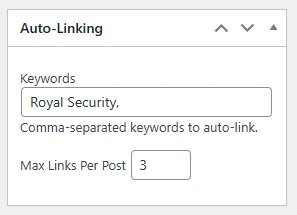
Example Output
Here's how auto-linked keywords appear in your content:
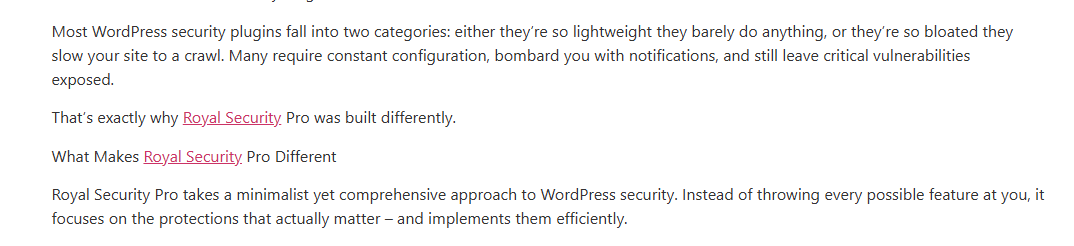
Start with a low global limit (2-3) to avoid over-linking your content. Too many links can hurt user experience and SEO. Use local limits for high-priority affiliate links that deserve more visibility.
Link Scheduling
Schedule links to go live or expire automatically - perfect for time-limited promotions.
Features
- Start Date - Link activates at this date/time
- End Date - Link expires and shows fallback
- Fallback URL - Where to redirect after expiration
- Timezone Support - Schedule in your local timezone
Use Cases
- Black Friday / holiday promotions
- Limited-time coupon codes
- Product launch dates
- Seasonal affiliate offers
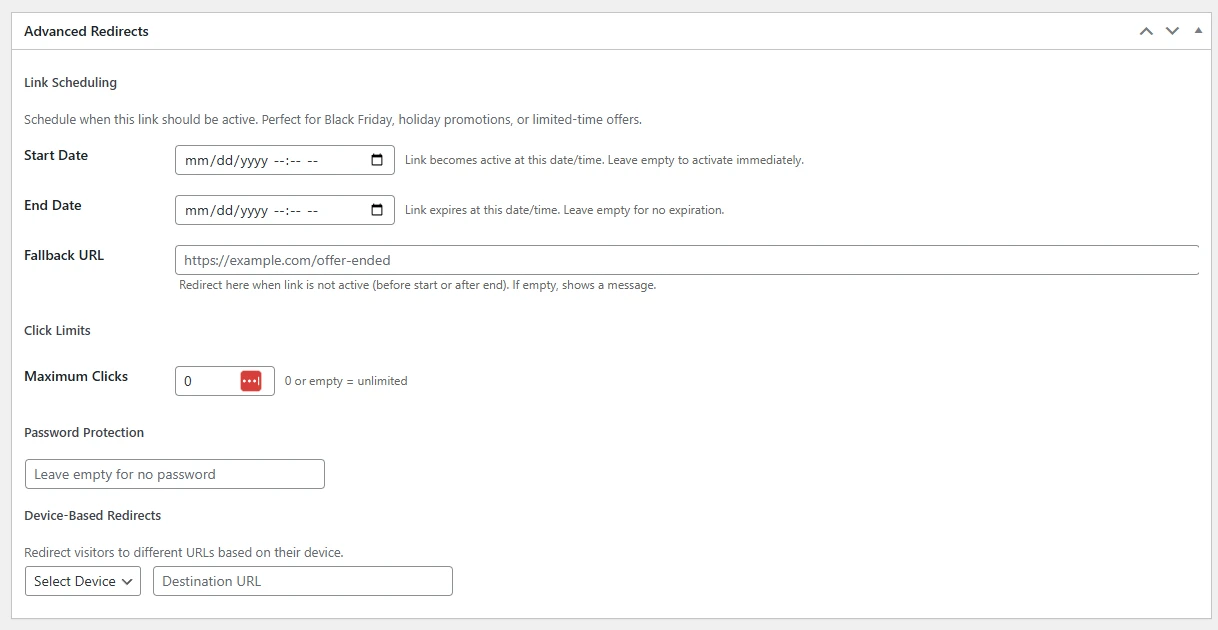
Password-Protected Links
Restrict access to specific links by requiring a password before redirecting. Ideal for exclusive deals, private resources, or gated content.
How It Works
- Edit any link and enable Password Protection
- Set a password — it's securely hashed and stored
- When someone clicks the link, they see a password form instead of being redirected
- After entering the correct password, they're redirected to the destination
Features
- Secure Hashing: Passwords are stored using WordPress's built-in password hashing (not plain text)
- Session Memory: Once authenticated, the visitor can use the link again without re-entering the password during their session
- Cookie Support: Optional "remember me" functionality for returning visitors
- Custom Form: The password form is styled to match your site
Use Cases
- Exclusive affiliate deals for email subscribers
- Private download links shared in courses or communities
- Client-only resource links
Geo-Targeting
Send visitors to different destinations based on their geographic location.
How It Works
- Set a default destination URL
- Add country-specific URLs for different regions
- Visitors are automatically redirected based on their IP location
Example Setup
| Country | Destination |
|---|---|
| Default | amazon.com/product |
| United Kingdom | amazon.co.uk/product |
| Germany | amazon.de/product |
| Canada | amazon.ca/product |
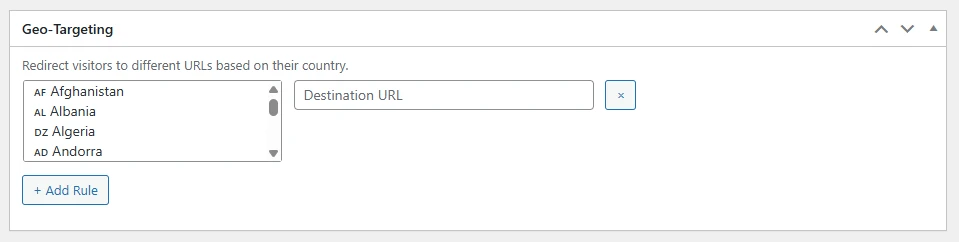
Geo-targeting is essential for Amazon affiliates. Send visitors to their local Amazon store to maximize conversions and comply with each program's terms.
A/B Split Testing
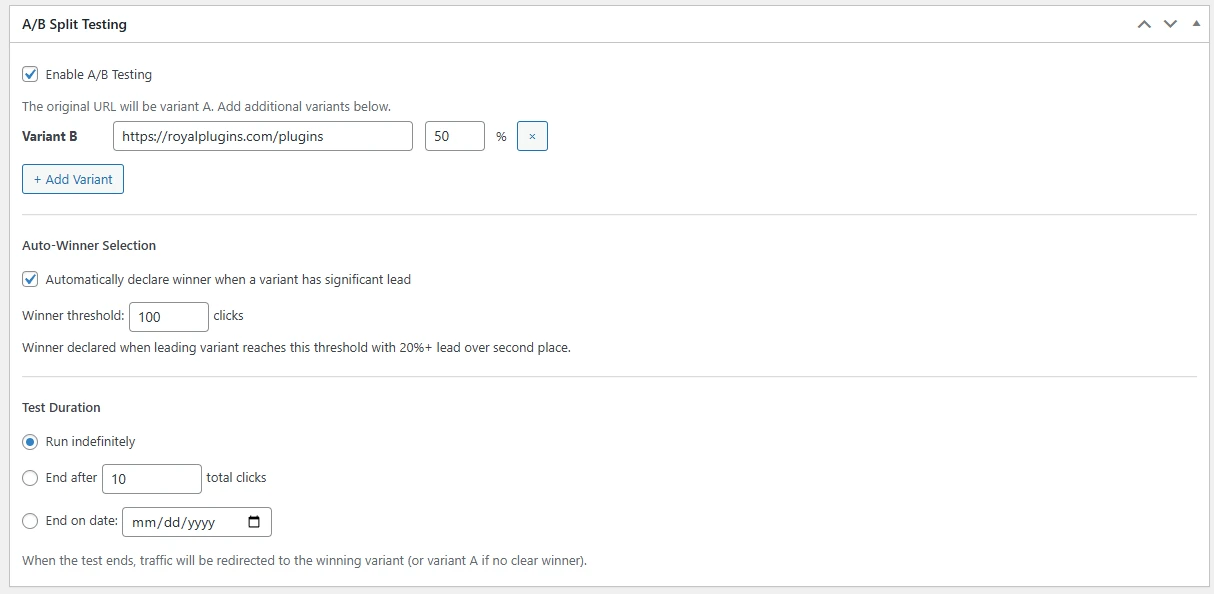
Test multiple destination URLs to find which converts better.
How It Works
- Add multiple destination URLs for a single link
- Set traffic split percentage (e.g., 50/50 or 70/30)
- Track clicks and conversions for each variation
- Analytics show which URL performs better
Use Cases
- Test different landing pages
- Compare affiliate programs for the same product
- Optimize call-to-action destinations
- Test pricing page variations
QR Code Generation
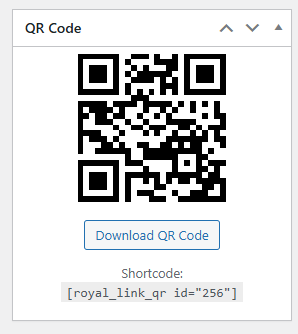
Generate scannable QR codes for any link instantly - perfect for print materials, events, and bridging offline to online.
How It Works
- Create or edit any link in Royal Links
- Click the QR Code icon in the link editor
- Customize colors and size
- Download in PNG or SVG format
Use Cases
- Business cards with link to your portfolio
- Product packaging with affiliate links
- Event displays and posters
- Restaurant menus linking to reviews
- Real estate signs with property listing links
UTM Builder
Build UTM-tagged links visually without manual URL construction. Track campaigns in Google Analytics 4 with properly formatted UTM parameters.
UTM Parameters
| Parameter | Purpose | Example |
|---|---|---|
| utm_source | Where traffic comes from | newsletter, facebook, google |
| utm_medium | Marketing medium | email, cpc, social |
| utm_campaign | Campaign name | spring_sale, product_launch |
| utm_term | Paid keywords | running+shoes |
| utm_content | Differentiate ads/links | logo_link, text_link |
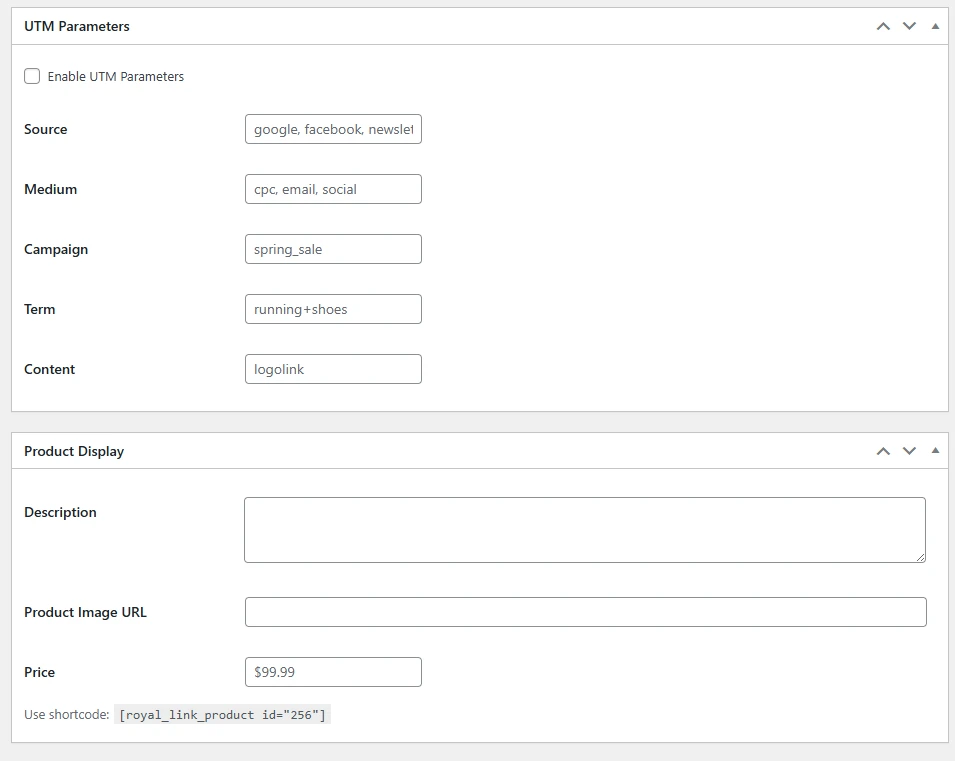
Save frequently used UTM configurations as templates for quick reuse across multiple links.
Viewing UTM Data in Google Analytics 4
UTM parameters created by Royal Links are automatically captured by GA4. To view your link campaign data:
- Traffic Acquisition — Reports > Acquisition > Traffic Acquisition. Filter by Source/Medium to see clicks from your Royal Links campaigns.
- Campaign Report — Reports > Acquisition > Traffic Acquisition, then select "Session campaign" as the primary dimension.
- Explorations — Create a custom exploration using utm_source, utm_medium, and utm_campaign dimensions for granular analysis.
Royal Links tracks all clicks in your WordPress database for privacy-first analytics, while UTM parameters send the same data to GA4. You get local control plus the full power of Google Analytics 4 reporting.
Product Display Boxes
Create eye-catching product boxes that showcase affiliate products with images, pricing, and call-to-action buttons.
Features
- Upload product images or use URL
- Display product price
- Customizable button text and colors
- Responsive design for all devices
Usage
Insert product boxes using:
- Shortcode:
[royal_product id="123"] - Gutenberg Block: Search for "Royal Product" in the block inserter
Affiliate Disclosure Notices
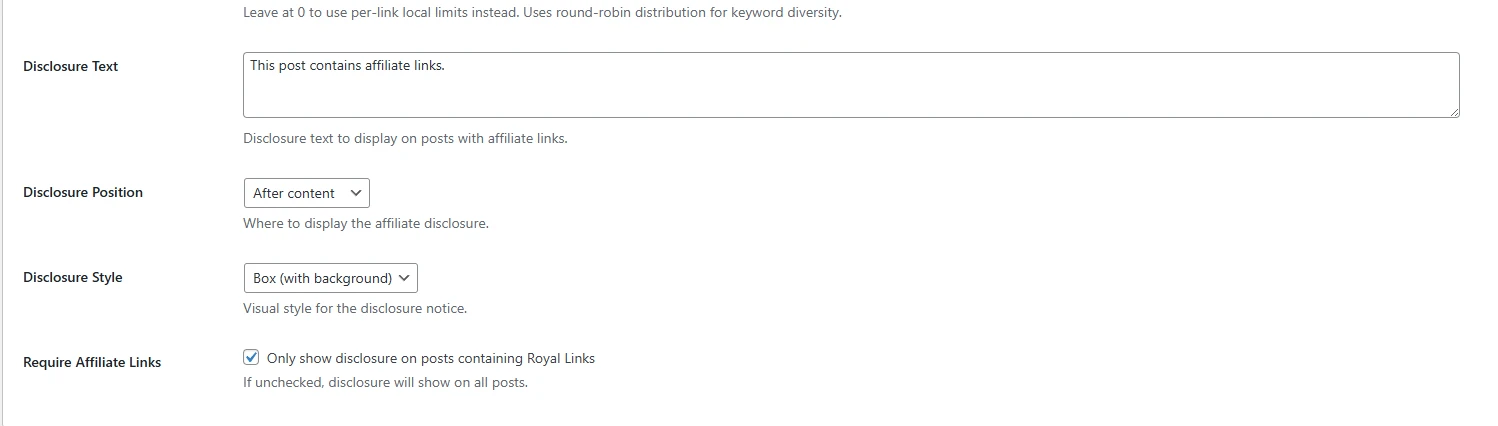
Automatically add FTC-compliant disclosure notices near your affiliate links to stay compliant with regulations.
Configuration
- Global Disclosure: Add a disclosure to all affiliate links site-wide
- Per-Link Disclosure: Override with custom disclosure per link
- Position: Before link, after link, or tooltip on hover
- Styling: Customize colors, font size, and spacing
Example Output
Here's how the disclosure notice appears near your affiliate links:

The FTC requires clear disclosure when you have a financial relationship with products you recommend. Disclosures should be clear, conspicuous, and near the affiliate link.
Advanced Analytics
Comprehensive reporting and detailed analytics for all your links.
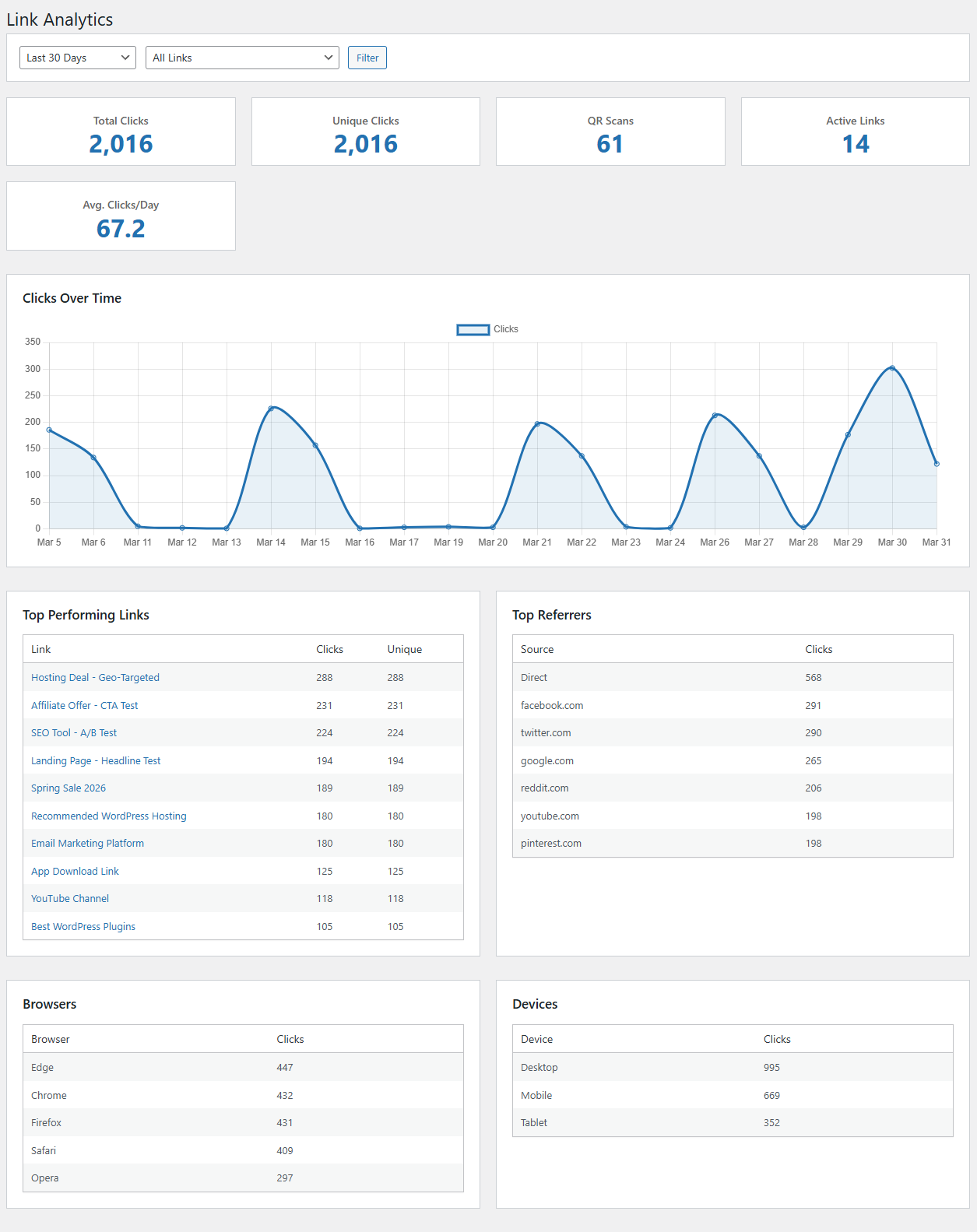
Analytics Features
- Referrer Tracking - See which sites and pages send clicks to your links
- Device & Browser Analytics - Breakdown by device type, OS, and browser
- Export Link Data - Download link data with click statistics as CSV
- Custom Date Ranges - Analyze any time period (7 days, 30 days, 90 days, year, all time)
- UTM Tracking - Automatic UTM parameter support with visual builder
- QR Scan Tracking - See which clicks came from QR code scans vs direct visits
Link Management
All the core link management features included in Royal Links.
Creating Links
Each link includes:
- Title - Internal name for your reference
- Destination URL - The full URL you want to redirect to
- Slug - The short part of your URL (auto-generated or custom)
- Redirect Type - 301 (permanent), 302 (temporary), or 307
- Advanced Options - Scheduling, geo-targeting, A/B testing, auto-link keywords
Redirect Types
| Type | Name | Best For |
|---|---|---|
| 301 | Permanent Redirect | Affiliate links, permanent destinations |
| 302 | Temporary Redirect | Testing, temporary promotions |
| 307 | Temporary (Strict) | Preserves request method |
Import & Export
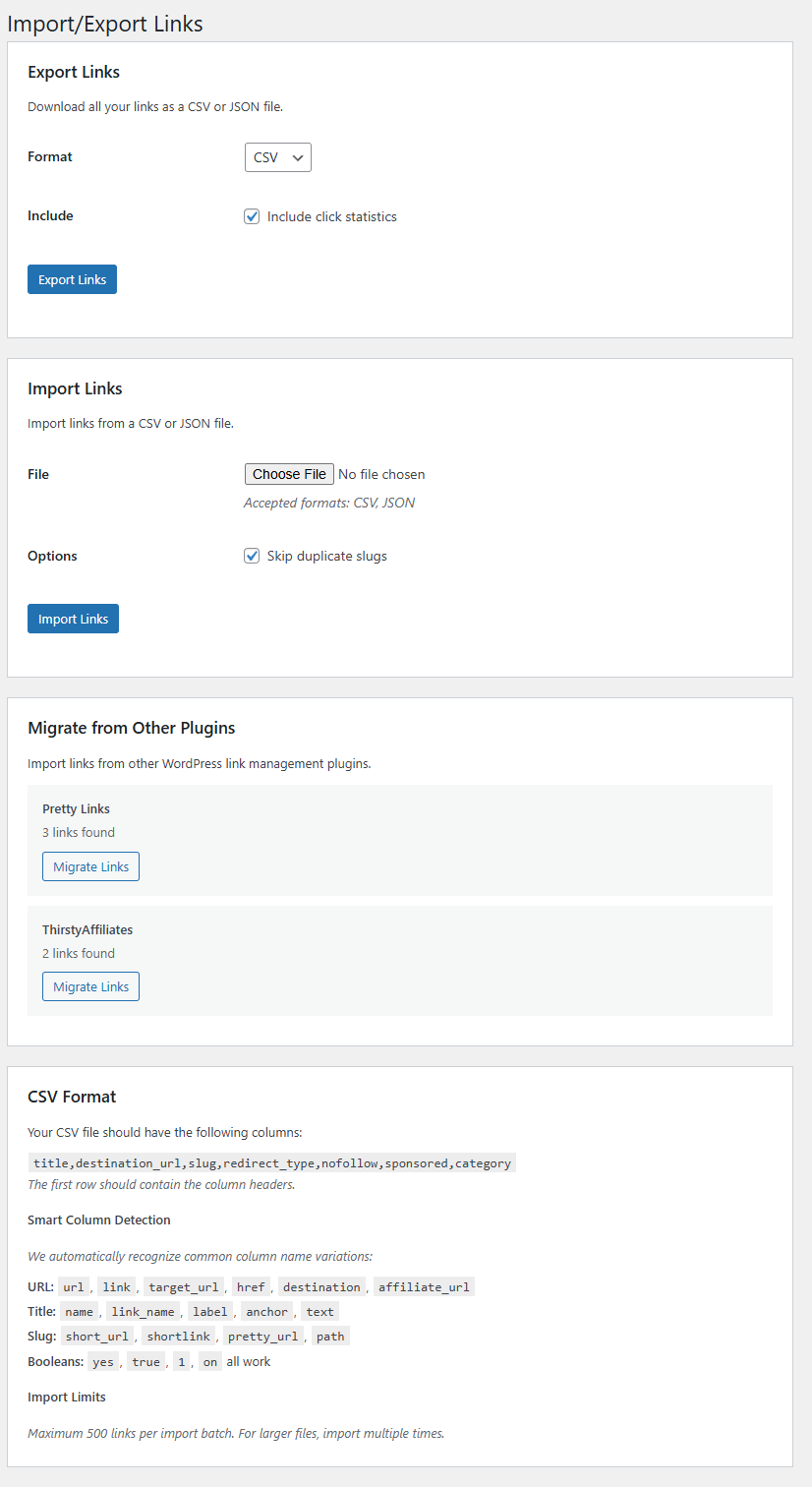
Easily migrate links from other plugins or backup your link database. Royal Links supports CSV import/export for bulk operations, plus one-click migrators for Pretty Links, ThirstyAffiliates, and BetterLinks.
Migrating from another link plugin? Both plugins can run side-by-side during the transition — Royal Links coexists cleanly with the source plugin while you verify each imported link. See the full walkthrough: Coexistence with other link plugins. Covers the migration notice, URL-prefix conflict blocking, slug-conflict handling during import, and the one-click retry-with-suffix action.
Click Tracking
Every click is automatically tracked with detailed information.
Data Captured
- Click timestamp
- Browser and version
- Operating system
- Device type (desktop, mobile, tablet)
- Referrer URL
- Unique vs. repeat visitors
- Country/region
- A/B test variation
Categories & Tags
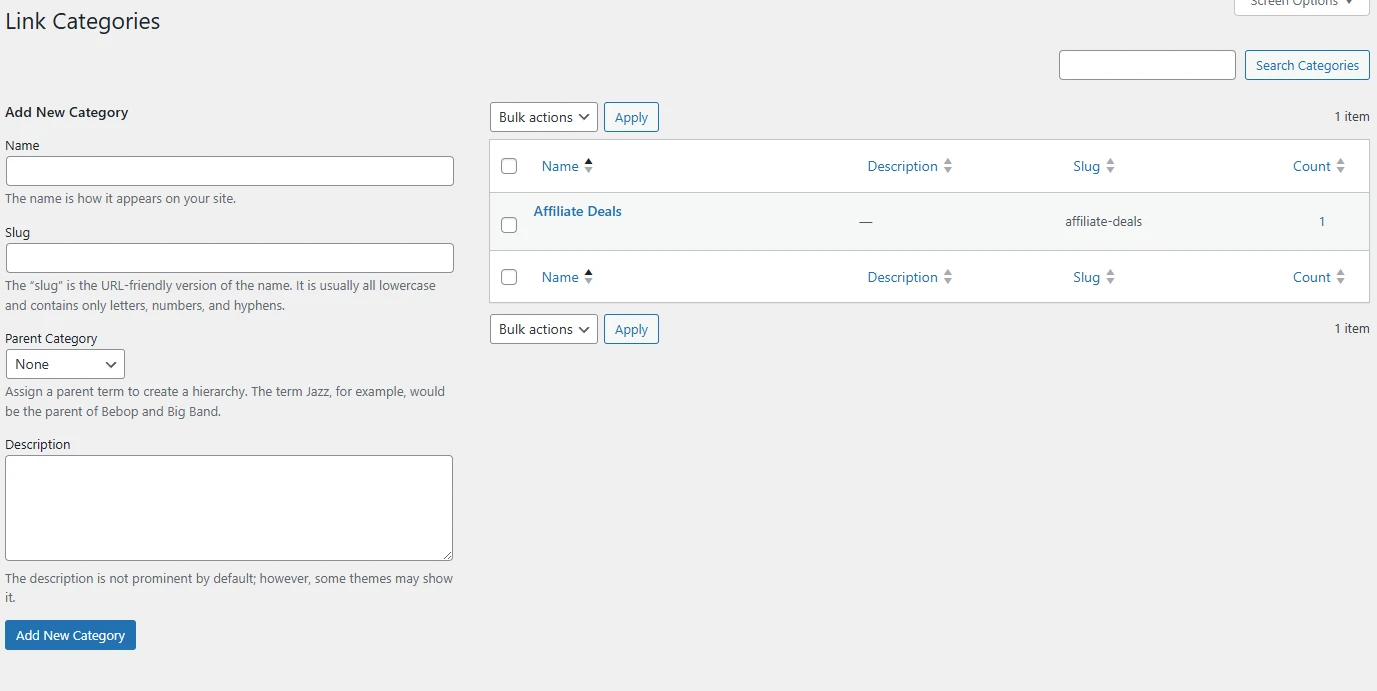
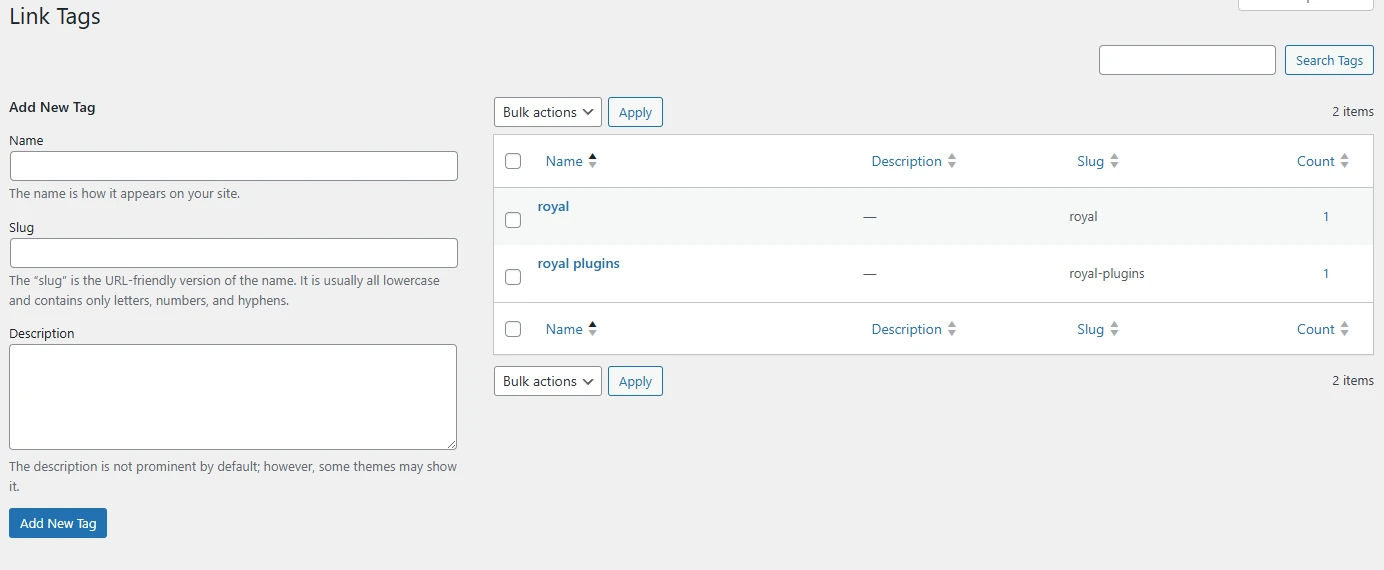
Organize your links for easy management and filtering.
Organization Tips
- Use categories for affiliate networks or broad topics
- Use tags for campaigns, products, or time periods
- Filter by category/tag in analytics for segmented reports
Settings
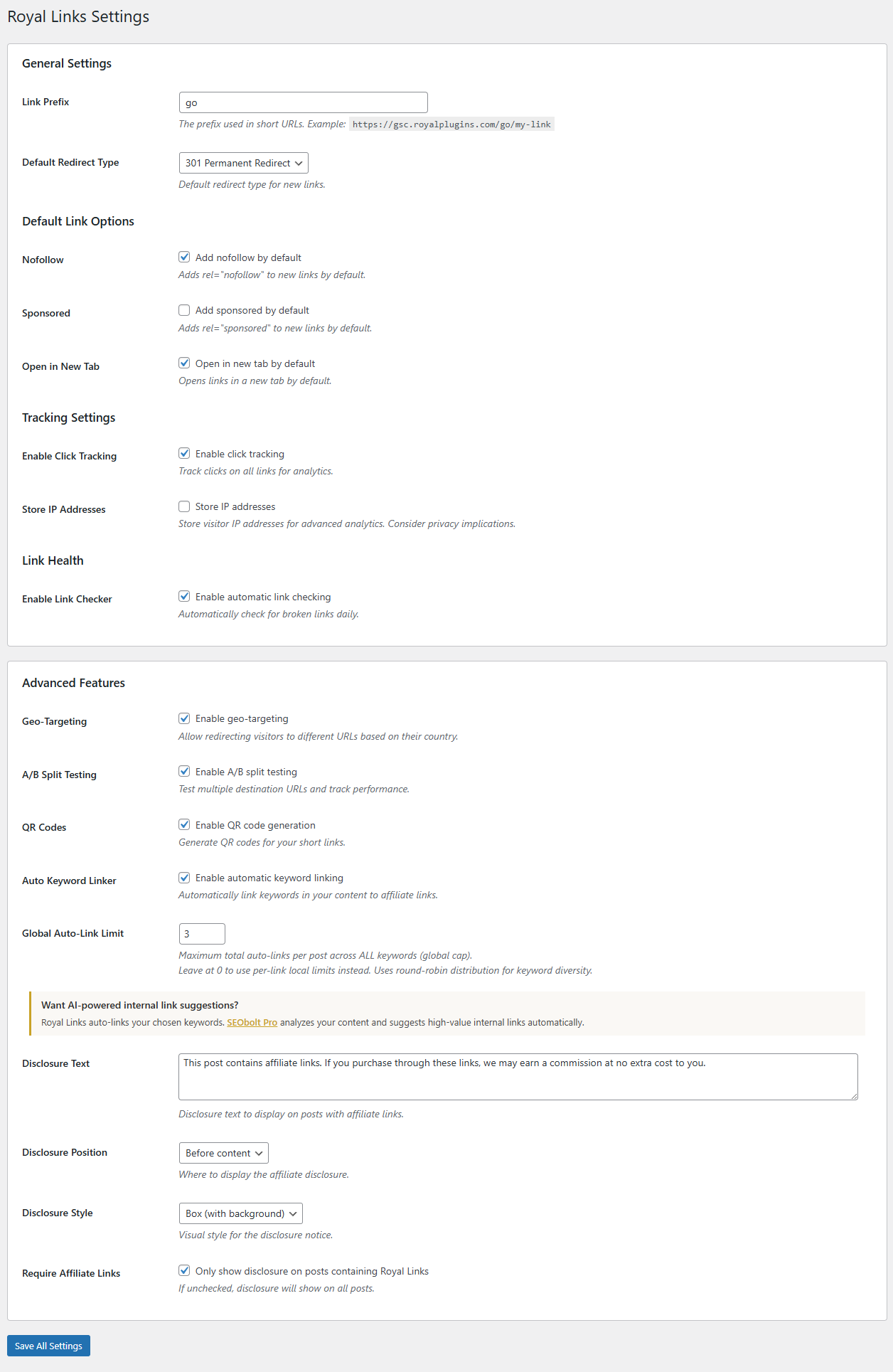
Configure Royal Links from the Settings page.
Available Settings
- Link Prefix - URL path prefix (default: /go/)
- Default Redirect - 301, 302, or 307
- Nofollow/Sponsored Defaults - Default attributes for new links
- Auto-Link - Global auto-linking on/off
- Geo-Targeting - Enable/configure IP detection
- Analytics Retention - How long to keep click data
- Export Settings - Default export formats
Troubleshooting
Auto-linking not working
- Ensure auto-linking is enabled in the link settings
- Check that keywords are entered correctly
- Clear any caching plugins
- Verify the post type is included in auto-link settings
Geo-targeting not accurate
- IP geolocation has ~95% accuracy
- VPN users will show their VPN location
- Some corporate networks may show headquarters location
Short links show 404
- Go to Settings > Permalinks
- Click "Save Changes" to flush rewrite rules
- Try the link again
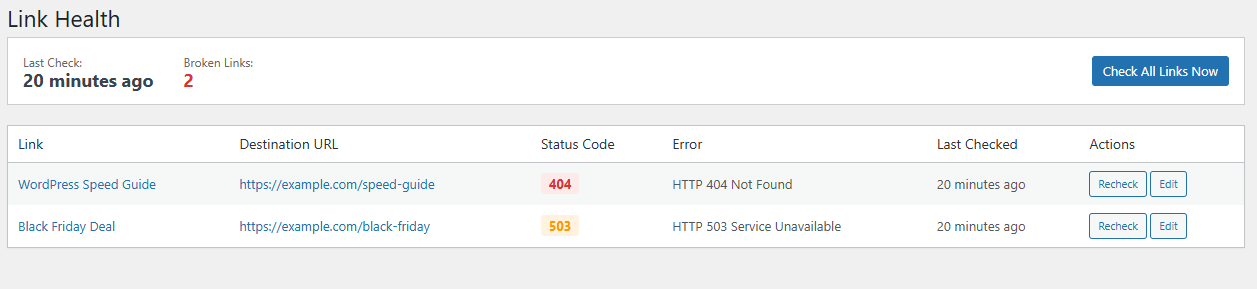
Checking Link Health
Royal Links includes automatic broken link detection. View link health status from the Link Health page:
Frequently Asked Questions
Is Royal Links really free?
Yes! Royal Links is completely free on WordPress.org. All features including auto-linking, geo-targeting, A/B testing, and analytics are included at no cost.
Will Royal Links slow down my site?
No. Royal Links is optimized for performance. Redirects happen instantly with minimal server overhead.
Does geo-targeting work with caching?
Geo-targeting bypasses page caching since redirects happen at the PHP level before any page is served.
Can I export my analytics data?
Yes! You can export your link data with click statistics as CSV. The export includes total clicks, unique clicks, and link metadata for analysis in spreadsheets.
Can I use Royal Links on multiple sites?
Yes! Since Royal Links is free on WordPress.org, you can install it on as many sites as you like with no restrictions.