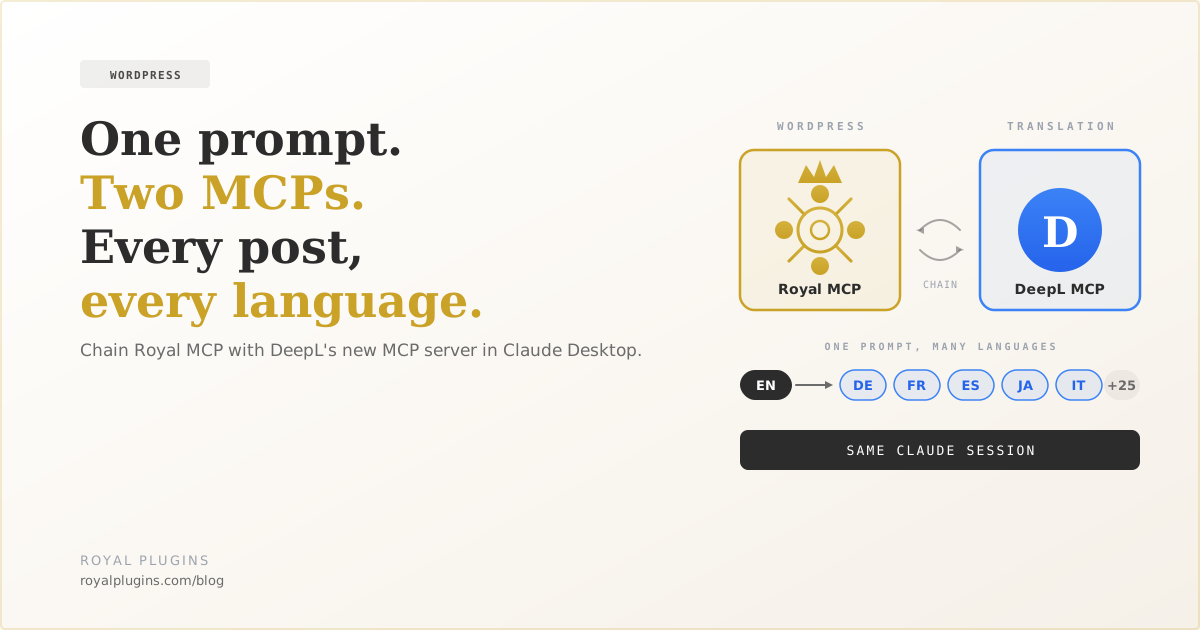
DeepL just shipped a hosted MCP server. Pair it with Royal MCP in Claude Desktop and you can fetch, translate, and republish WordPress posts in any DeepL-supported language from a single prompt. No custom code, no export/import dance, no copy-paste. This is a walkthrough with the exact prompt shapes to paste into Claude, plus the real DeepL API gotchas to plan around — cited from DeepL docs and GitHub issues.
The Story Underneath the Announcement
DeepL announced this week that their translation API is now available as a remote MCP server at https://mcp.deepl.com/v1/mcp. Any MCP-compatible AI client — Claude Desktop, ChatGPT, Copilot, Cursor — can point at it, sign in with a DeepL account (OAuth 2.1, no API key handling), and instantly gain access to DeepL-quality translation as a tool.
On its own that’s a nice feature. The interesting part is what happens when you connect a second MCP server alongside DeepL.
Royal MCP exposes your WordPress site to the same AI assistants — posts, pages, media, WooCommerce products, everything. When both MCPs are connected, Claude can chain them in a single prompt: read a post from WordPress, send the content to DeepL, get the translation back, then write it to WordPress as a new post or a language variant. All from one message.
That composition is the actual capability. Individual MCPs give you individual features; combining them gives you workflows.
What You’ll Need
- Claude Desktop (or claude.ai web) — both support multiple MCP connectors in the same chat
- A DeepL account with a seat-based subscription (Pro / Business / Growth) — required for the remote MCP server per DeepL’s docs. API-only Developer plans don’t unlock the remote MCP but can use the self-hosted local server instead
- Royal MCP installed on your WordPress site — free on the WordPress plugin directory. Setup is documented in our 5-minute connect guide.
Total setup time if starting from scratch: about 10 minutes. If you already have Royal MCP connected, add DeepL in ~90 seconds.
Step 1 — Add DeepL to Claude Desktop
In Claude Desktop or claude.ai:
- Open Settings → Connectors
- Click Add custom connector
- Name it
DeepL - Paste the MCP server URL:
https://mcp.deepl.com/v1/mcp - Click Connect. Claude opens DeepL’s OAuth consent screen — sign in with your DeepL account and authorize
No API key setup: the remote DeepL MCP handles auth via OAuth 2.1, same pattern as Royal MCP’s connect flow.
Per DeepL’s remote MCP docs, the remote server requires an active seat-based DeepL subscription (Pro / Business / Growth). The API-only Developer plan does NOT grant access to the remote MCP server. If you’re on Developer-only, you can still self-host the official local MCP server with your API key.
Confirm it’s live: open a new chat, click the + button, and toggle DeepL on. You should see the DeepL tools appear (Translate Text, Rephrase Text, Correct Text, Upload Document, list glossaries, and more — 16 total per docs).
Step 2 — Confirm Royal MCP Is Also Connected
Same conversation, also enable your Royal MCP connector. If you haven’t set it up yet, follow the 5-minute connect guide and come back.
With both connectors on, Claude has translation as a tool and your WordPress database as a tool in the same session. This is what makes chaining possible.
Step 3 — The One-Post Translation Prompt
Here’s the exact prompt shape that works cleanly:
On YOUR-SITE.com, fetch my most recent published post.
Translate the title and content into German (formal tone) using DeepL.
Preserve all HTML formatting and internal links.
Then create a NEW draft post on the same site with:
  - the translated title as post_title
  - the translated content as post_content
  - status = draft
  - slug prefixed with /de/
  - a post_meta entry: rp_translated_from = <original post ID>
Return the new post ID and edit URL when done.
What Claude does under the hood: calls wp_get_posts via Royal MCP, extracts title + content, calls DeepL’s translate tool with target_lang=DE and formality=more, calls wp_create_post via Royal MCP with the translated fields, then reports back with the new ID and edit link.
Expect a few tool calls chained together (fetch, translate, create). Review the draft in wp-admin, tweak if needed, publish when you’re happy.
Step 4 — The Bulk Workflow
Once you’ve validated the one-post flow, scale it up:
On YOUR-SITE.com, list the 10 most recent published posts.
For each one, translate title + content into Spanish (informal tone) via DeepL,
preserving HTML. Create each translated version as a new DRAFT post with
  - slug prefixed /es/
  - post_meta rp_translated_from = <original ID>
  - status = draft
Show me a table of the 10 new post IDs and their edit URLs when done.
Claude will chain the two MCPs 10 times in sequence. DeepL is billed per character based on visible text (HTML tags and attributes are free under tag_handling=html), so 10 posts averaging 1,000 words each will cost you roughly 10,000–50,000 characters depending on prose density. See DeepL’s billing docs for exact counting rules.
Publishing as drafts (not immediately live) gives you a review pass. That’s the right default for the first few batches while you’re calibrating — you’ll spot the odd translation choice or a formatting quirk that needs a manual touch-up. After a few passes when you trust the output, switch to status = publish in the prompt.
What Actually Breaks — Real Gotchas From the API
Everything below is drawn from DeepL’s official docs, the DeepL GitHub org’s open issue trackers, and the wpDeepL plugin’s public changelog — not from vibes. Cited so you can verify.
Reported on deepl-python #157: text containing HTML comments fails with Tag handling parsing failed, please check input. 'text without parent'. This matters for WordPress because Gutenberg block delimiters are HTML comments (<!-- wp:paragraph -->). Workarounds: strip block delimiters before sending, or fall back to tag_handling_version=v1. Ask Claude to reconstruct the block wrapper on the WordPress side after translation.
deepl-api-issues #25 shows tags followed by punctuation (e.g. <x>Event</x> ?) sometimes end up moved to the front of the translated sentence. Reporter confirms “same issue happens with tag_handling=html too.” Still open. Spot-check translations where links or inline emphasis sit next to sentence-ending punctuation.
DeepL doesn’t know about [shortcode attr="x"]. The wpDeepL plugin’s public changelog shows years of shortcode-related patches (v1.6 “temp fix for bracket bug in DeeplAPI,” v2.1 “added protection shortcodes, code, pre”). If your posts use shortcodes, wrap them in ignore_tags-safe markers before translating and restore after. Or accept the risk and audit each translation manually.
deepl-api-issues #8: “This works well when tagHandling is set to XML but not when it’s set to HTML.” If you need to keep specific tags out of the translation pipeline reliably (brand names, code snippets, TM-locked terms), preprocess to XML tag_handling with your own wrappers, then restore.
DeepL’s formality parameter has 5 values: default, more, less, prefer_more, prefer_less. Only DE, FR, IT, ES, NL, PL, PT (BR + PT), JA, RU support formality (DeepL support). Sending more or less to an unsupported language returns HTTP 400 and fails the whole request. The prefer_ variants silently ignore the parameter on unsupported languages, which is what you want for a mixed multi-language batch.
DeepL translates visible text, not URL slugs and not rel=alternate hreflang tags. Ask Claude to also translate the slug (or generate a fresh SEO-friendly one from the translated title). For hreflang, either use a multilingual plugin that handles it or ask Claude to write <link rel="alternate" hreflang="X" href="..."> pairs into both the original and translated posts via post_meta.
Per DeepL’s billing docs: with tag_handling=html or xml, tag characters and attributes are NOT counted toward your quota. Only text between tags is billed. Whitespace, tabs, and line feeds DO count. The context parameter is free (send extra context around a segment without paying for it). Quota exceeded returns HTTP 456 — a clean signal to catch and pause your batch.
WPML support has publicly attributed translation-quality complaints to “the handling of tags by the DeepL translation engine in short text segments, which caused incorrect translations, insertion of characters like quotes and colons, and duplication of terms” (WPML forum). Their recommended fallback is switching to WPML’s own translation engine. This isn’t user error — it’s a real quirk to plan around.
Should we build DeepL into Royal MCP directly?
Right now you set up two MCPs and chain them in a prompt. It works, but it’s two connectors to manage and the prompt has to be a bit precise.
The alternative: native DeepL integration inside Royal MCP. A single wp_translate_post tool that handles fetch + translate + save-as-variant using your DeepL key from Royal MCP settings. One connector, simpler prompts (“translate post #47 to German”), and built-in handling for slugs, hreflang, and the rp_translated_from linkage.
Would you use it? Email us at hello@royalplugins.com with a subject line of DeepL. We’ll build it if enough people ask. No form to fill out, no marketing follow-up — just tell us you’d use it and roughly how (how many languages, batch or on-demand, multilingual plugin you use). That’s the whole ask.
Get Royal MCP
Free on the WordPress plugin directory: wordpress.org/plugins/royal-mcp/
Or install directly from your WordPress admin → Plugins → Add New → search “Royal MCP.” New to it? Start with our 5-minute Claude connect guide.
Setup questions on the DeepL side: DeepL API documentation. For the Royal MCP side, the WordPress.org support forum has a pinned troubleshooting thread and we monitor it daily.