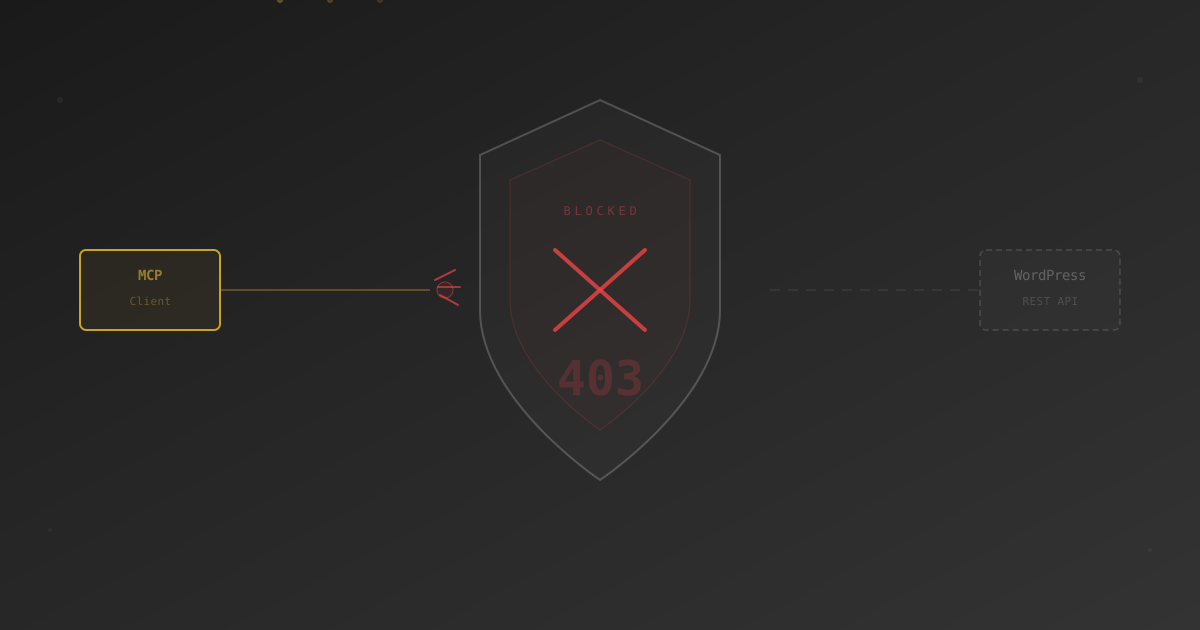
On September 15, 2026, Cloudflare sets new AI-bot defaults for new domains onboarding to the network. The AI-bot taxonomy is being split into three categories — Search, Agent, and Training — and on pages that display ads, Training and Agent will be blocked by default. Search stays allowed. Existing Cloudflare customers keep their current settings unchanged, but a new opt-in / opt-out control appears in Security settings. Here’s what the change actually is, who it affects, and what the three categories mean for MCP servers, retrieval traffic, and AI-search referrals.
On July 2, Cloudflare emailed customers about an upcoming shift in how the platform’s AI-bot controls work. Announcement details were published on the Cloudflare blog under the title “Your site, your rules: new AI traffic options for all customers,” framed as a follow-up to July 2024’s Content Independence Day release (a one-click block-all-AI-bots toggle) reworked for a landscape that now includes MCP servers, agent browsers, retrieval-on-demand fetchers, and AI search engines that route referral traffic.
The short version: Cloudflare is retiring the one-size-fits-all “AI bot” classification and splitting it into three behavior-based categories. New defaults apply automatically to any new domain that joins Cloudflare on or after September 15. Existing customers keep their current settings but get a new opt-in / opt-out toggle in Security settings so they can adopt the new behavior if they want.
The Three Categories
Cloudflare’s new taxonomy classifies AI-bot traffic by behavior, not by which company runs the bot. Per the announcement, the three categories are:
- Search. “Any behavior that collects or indexes your content, so it can answer questions about it later.” This is the category that most AI search engines land in — PerplexityBot, OAI-SearchBot, MicrosoftCopilotBot, Applebot-Extended, DuckAssistBot. Under the new defaults, Search stays allowed by default.
- Agent. “Automated behavior that is acting, usually in real time, on a person’s behalf, to get something done right now.” This is the bucket for on-demand retrieval fetchers (ChatGPT-User, Claude-Web, Perplexity-User), agent browsers (OperatorAgent, ChatGPT-Atlas, Claude-Computer-Use), and MCP clients making tool calls. Under the new defaults, Agent is blocked by default on pages that display ads.
- Training. “A crawler taking your content to train or fine-tune a model.” The classic AI-training crawlers: GPTBot, ClaudeBot, Google-Extended, Bytespider, CCBot, and others. Under the new defaults, Training is blocked by default on pages that display ads.
Two nuances worth pinning down before September 15:
- Pages that display ads. The block applies to ad-monetized pages, not the entire site. If you run a content site with display ads on your articles and no ads on your
/wp-json/*REST endpoints, the API endpoints may not be in scope for the auto-block. - Multi-purpose crawlers. A crawler that combines Search with Training (many big-name AI bots do both) will be “allowed/blocked according to all of their behaviors” — meaning if any of its purposes is blocked, the crawler is blocked. So a hypothetical bot that crawls for both Search and Training gets blocked because Training is blocked. Practically, that’s where the opt-out matters: existing customers who want multi-purpose crawlers to keep behaving as they did today mark that choice in Security settings.
Who Is (and Isn’t) Automatically Affected
This is the part that gets misreported. Two different groups, two different outcomes:
New Cloudflare Customers (Domains Onboarding on / After September 15)
Any domain joining Cloudflare on or after September 15 automatically gets the new defaults: Search allowed, Agent blocked on ad-monetized pages, Training blocked on ad-monetized pages. If you’re standing up a new WordPress site behind Cloudflare after mid-September and expect AI-assistant retrieval traffic or run an MCP server on an ad-monetized page, you’ll need to allowlist the Agent-category behavior explicitly.
Existing Cloudflare Customers
Your current settings stay as they are. If you have “Block AI Bots” off today, it stays off. If you had it on, it stays on. Nothing flips automatically on September 15.
What changes for existing customers is that a new opt-in / opt-out control appears in Security settings before September 15. You can (a) mark the opt-out to explicitly preserve current behavior around multi-purpose crawlers, (b) adopt the new category-based defaults if you want them, or (c) do nothing and keep whatever is set now.
The Cloudflare email that went out July 2 is a heads-up to existing customers that this control is arriving and that if they want the “no changes, preserve everything as-is” outcome explicitly documented, they should mark the opt-out before the date lands.
Who Feels This Regardless of Cloudflare Tenure
Three WordPress operator profiles have reason to pay attention:
- Sites running an MCP server on Cloudflare. MCP tool calls travel under Agent-category behavior (a client acting in real time on behalf of a user). Existing customers aren’t auto-affected, but if you sign a new site up post-September 15 and put an MCP endpoint behind it — especially on a URL that also serves ad-monetized content — you’ll want the Agent category allowlisted for the MCP endpoint path. We covered the specific failure mode and WAF-rule fix in the April post.
- Sites fetched on-demand by AI assistants. Retrieval bots (ChatGPT-User, Claude-Web, Perplexity-User) land in Agent. Under new defaults, they’re blocked on ad-monetized pages. Sites showing up as citations in AI-assistant answers, that rely on those citations for referral traffic, will want to consider whether the Agent block is the outcome they want — and if not, adjust before or after the change.
- Sites running multi-purpose crawlers today. If PerplexityBot or another dual-role crawler currently hits your site freely and you want that to keep happening, the multi-purpose block rule (any purpose blocked = crawler blocked) is the specific case the opt-out was designed for.
What Existing Customers Should Actually Do
Since your current settings don’t change automatically, this is a choice about whether to adopt the new taxonomy, not whether to survive it. Three practical paths:
Option A: Explicitly Opt Out and Document Current Behavior
Use the new opt-out control in Cloudflare’s Security settings before September 15 to record that you want multi-purpose crawlers to keep behaving exactly as they do today. This is the belt-and-braces move for sites that have deliberately allowlisted specific AI crawlers today — opting out gives you a paper trail that says “we chose this,” not “we forgot to check.”
Option B: Adopt the New Category-Based Defaults
Turn on the new behavior for your site. Search stays allowed (you keep AI-search referral traffic from PerplexityBot etc.). Agent gets blocked on ad-monetized pages (you cut off retrieval bots and any MCP client hitting those specific pages). Training gets blocked on ad-monetized pages (you cut off GPTBot, ClaudeBot, Bytespider from your monetized content).
This is a reasonable posture for content publishers who want AI search to send them referrals but don’t want their monetized articles used for training or served as raw fodder to on-demand assistants.
Option C: Adopt the New Defaults, Then Add Per-Bot Nuance at the WordPress Layer
Cloudflare handles the network layer (DDoS, general WAF, category-based AI defaults). Your WordPress plugin handles the AI-specific policy per named agent — block GPTBot but allow ChatGPT-User, block Bytespider but allow Applebot-Extended, whatever fits your content strategy at the article level rather than the ad-page level.
This is the split we built Royal AI Firewall for. Cloudflare covers the coarse edge decision by category; the plugin covers the fine-grained per-agent decision inside WordPress with a search-engine guard (Googlebot, Bingbot, Applebot, DuckDuckBot protected from accidental blocking), blocking-consequence explanations next to each toggle, and a per-bot dashboard so you can see who actually got through the edge layer. The setup wizard’s Cloudflare screen will get an update noting the September 15 change before it lands.
Preparation Timeline for Existing Customers
Two months between announcement and the date. If you’re an existing Cloudflare customer, the deadline is soft — nothing forces you to act on September 15. But the sensible working schedule looks like this:
- Now → August 15. Audit which AI bots currently reach your site so you have a baseline. Cloudflare’s bot analytics (Security → Bots → Analytics) shows the breakdown by bot name. If you run Royal AI Firewall, the per-bot dashboard shows what actually reaches WordPress after Cloudflare.
- August 15 → September 1. Decide what posture you want. Are you preserving today’s behavior explicitly (Option A), adopting new category defaults (Option B), or mixing the two with WordPress-layer control (Option C)?
- September 1 → September 14. Make the change in Security settings if any. Verify with a real AI-client test end-to-end — a Claude retrieval, a Perplexity fetch, an MCP tool call — not just a curl probe.
- September 15 onward. Watch traffic. Cloudflare Firewall Events (Security → Events) shows blocked requests with the reason. WordPress-layer logs (Royal AI Firewall’s invocation log, or your existing security plugin’s log) show what still reaches WordPress.
MCP-Specific Guidance
If you run Royal MCP or another WordPress MCP server behind Cloudflare, here’s the practical read:
MCP tool calls sit in the Agent category — a client (Claude Desktop, ChatGPT’s connector, Cursor) acting in real time on a user’s behalf to get something done. Under the new defaults, Agent is blocked on pages that display ads. Most WordPress sites don’t serve display ads on their /wp-json/* REST endpoints, so the practical impact on MCP tool calls hitting the API surface is often smaller than the announcement makes it sound.
Existing customers aren’t auto-affected. If your MCP endpoint works today on your Cloudflare-fronted site, September 15 doesn’t automatically change that. The failure mode we documented in the April post only fires if you actively enable AI-bot blocking (either via the July 2024 “Block AI Bots” toggle or by adopting the new category-based defaults).
New-customer scenario. If you’re spinning up a new WordPress site behind Cloudflare after mid-September and putting an MCP endpoint on it, the Agent-category default may catch MCP tool calls on any URL Cloudflare classifies as ad-monetized. Two ways to handle it:
- WAF custom rule. Create a rule that exempts your MCP endpoint path from AI-bot classification. Full walkthrough with copy-pasteable rule syntax in the April post. Path-based Skip rules require Pro plan or above; the Free plan doesn’t include the Skip action for bot detection, so Free-tier operators need to allow-list their specific client IP or exclude the endpoint URL from being classified as ad-monetized.
- Ensure the endpoint URL isn’t ad-monetized. Cloudflare’s new default block is scoped to pages displaying ads. If your MCP endpoint sits under a URL prefix that never serves display ads, the auto-block may not fire on it anyway.
Whichever you pick, verify with a real MCP client after the September rollout. A curl probe won’t hit the same detection path an actual Claude Desktop or ChatGPT connector goes through.
Why This Keeps Happening
Cloudflare’s AI-bot controls have been reshuffled every few quarters since GPTBot arrived. AI Audit, AI Labyrinth, Bot Fight Mode, Super Bot Fight Mode, Managed Rules, Custom Rules, WAF managed AI category — the features get renamed, moved between plan tiers, and re-defaulted on a cadence that’s hard to track unless you’re an operator watching for the announcements.
The September 15 change is the most operator-visible so far because it flips a default without asking. If you want your AI-bot handling to be predictable across those reshuffles, the option is to move the decision closer to WordPress — where the choices are named agents, not tier-locked feature toggles, and where the “this bot has changed categories” problem is a catalog update rather than a dashboard hunt.
That’s why we built Royal AI Firewall as a plugin that lives inside wp-admin: the Cloudflare AI-bot layer keeps moving, and having a stable per-bot policy layer inside WordPress means the moving parts stay out of your way. Not a replacement for Cloudflare — Cloudflare’s DDoS, WAF, and SSL are all things we recommend leaving on. A complement, sitting one layer in.
Related reading: Cloudflare’s Block AI Bots Silently Breaks MCP Connections for the April deep-dive on the same failure mode under the old defaults. For Cloudflare-alongside-WordPress configuration guidance in Royal AI Firewall, see the Cloudflare Setup section of our docs.