The GuardPress security score starts every site at 100 and deducts points for each protective feature you have disabled (5, 10, or 15 each), plus reactive hits for detected malware and stale plugin updates. An A (90+) means every defence is on and the site is current. B (80–89) is fine for most sites. C (70–79) means at least one 10-point feature (2FA, firewall, malware scanner, or file integrity monitor) is off, and that is not a passing grade.
Every GuardPress install lands somewhere between 0 and 100. The number you see in the dashboard widget ("Security Score 85, Grade B") is mechanical: it is the sum of a checklist of features you have enabled, minus a few reactive deductions for problems the plugin has actually detected. There is no magic, no algorithmic judgement. Open class-guardpress-settings.php and the formula is right there.
Most site owners glance at the grade, see a green B, and move on. That is a mistake. The B is not telling you you are safe. It is telling you you are missing something worth 11 to 20 points, and the math behind which features got skipped matters a lot more than the letter on the dashboard.
This guide walks the whole rubric: every point, every feature, the cheapest path from where you are to an A, and the honest answer to the question every customer eventually asks: is a C grade actually good enough?
The Scoring Math, Decoded
GuardPress starts you at 100. Every protective feature you have disabled subtracts a fixed amount. Every recently-detected malware threat or pile-up of stale plugin updates subtracts more. The grade thresholds are unforgiving: lose more than 10 points and you have dropped from A to B. Lose more than 20 and you are at C.
Feature deductions
| Disabled feature | Points lost |
|---|---|
| Malware scanner | −15 |
| Brute force protection | −10 |
| Two-factor authentication | −10 |
| Firewall | −10 |
| File integrity monitor | −10 |
| Login CAPTCHA | −5 |
| Spam protection | −5 |
| Security headers | −5 |
| XML-RPC enabled | −5 |
| Force strong passwords | −5 |
| Total feature deductions possible | −80 |
Reactive deductions
| Trigger | Points lost |
|---|---|
| Recent malware threat detected (last 7 days) | −5 per, capped at −20 |
| More than 5 plugin updates pending | −10 (flat) |
Grade thresholds
| Grade | Score range | Status |
|---|---|---|
| A | 90–100 | Protected (green) |
| B | 80–89 | Protected (green) |
| C | 70–79 | Needs attention (orange) |
| D | 60–69 | Needs attention (orange) |
| F | <60 | At risk (red) |
Before GuardPress 1.6.15, the dashboard widget and the security settings page used slightly different colour thresholds. The widget would show "Protected" on a score the dashboard called "Needs Attention." 1.6.15 unified them on the 80/60 split shown above. If you are on an older version, update first, then read the rest of this guide.
What an A Actually Requires
An A means a score of 90 or higher. In plain English, you can lose at most 10 points total. That gives you two realistic paths.
Path 1: Everything on, nothing flagged
Enable all ten protective features, keep your plugin update queue under 5, and have no malware threats detected in the last 7 days. Score: 100. Grade: A.
This is the obvious answer, and on a clean install it is also the easiest. The reason most A sites are A is not because their admin is a security savant. It is because they enabled everything in setup and never went back to disable anything.
Path 2: Skip one 10-pointer, keep the rest clean
If you have a specific reason to leave one feature off (say, the firewall is interfering with a payment processor's IPN callbacks, or 2FA is friction your customer-facing accounts cannot tolerate) you can still hit a 90 by leaving everything else perfect. Score: 90. Grade: A (just).
This is the practical edge of an A. Notice that you cannot skip the malware scanner and still get an A by this path: missing that one alone drops you to 85, a B. The malware scanner is the only single feature whose absence flips your grade by itself.
You also need to keep the plugin update queue under 6. Sitting on 6 or more pending updates is a flat 10-point hit, and stacked with any other deduction it is usually enough to push you out of A range.
The Cheapest Path to A (When You Are Starting at B or C)
If your score is currently in the 70–85 range, the cheapest 25 points come from the five 5-point features. These are zero-friction toggles that do not require ongoing attention, do not interfere with site behaviour for the vast majority of installs, and do not generate support tickets:
- Login CAPTCHA (+5). Adds a single-question challenge on wp-login.php. Blocks the automated credential-stuffing traffic that hits every WordPress site within hours of going live.
- Spam protection (+5). Filters comment and contact-form submissions at the request layer. Almost always invisible to legitimate users.
- Security headers (+5). Sets
X-Frame-Options,X-Content-Type-Options,Referrer-Policy, and a defaultContent-Security-Policy. Defends against clickjacking, MIME sniffing, and a class of XSS. No configuration required. - Disable XML-RPC (+5). The XML-RPC endpoint is the single most-abused brute-force surface on WordPress. If you do not use the Jetpack mobile app or pingbacks, you do not need it on.
- Force strong passwords (+5). Blocks weak passwords at account creation and at password reset. Pays back the 5 points the first time it stops a colleague from setting "password123".
Enable whichever of those five are currently off and your score goes up by 5 points per feature, no other changes required. On a typical B or C install with two or three of these toggled off, that is 10 to 15 points of free improvement. The closest thing GuardPress offers to a free lunch.
The 10-point features (next priority)
After the 5-pointers, the next-cheapest gains are the four 10-point features. None of them is hard to enable; they are 10-pointers because the consequence of leaving them off is bigger.
- Brute force protection (+10). Rate-limits failed login attempts and locks out offending IPs. The cost of missing it is the single largest attack class against any WordPress site.
- Two-factor authentication (+10). The difference between a stolen password and a stolen site. If a customer or contributor's credentials leak (and they will, eventually), 2FA is the only thing standing between them and admin access. See our 2FA recovery guide if you are worried about the lock-out risk.
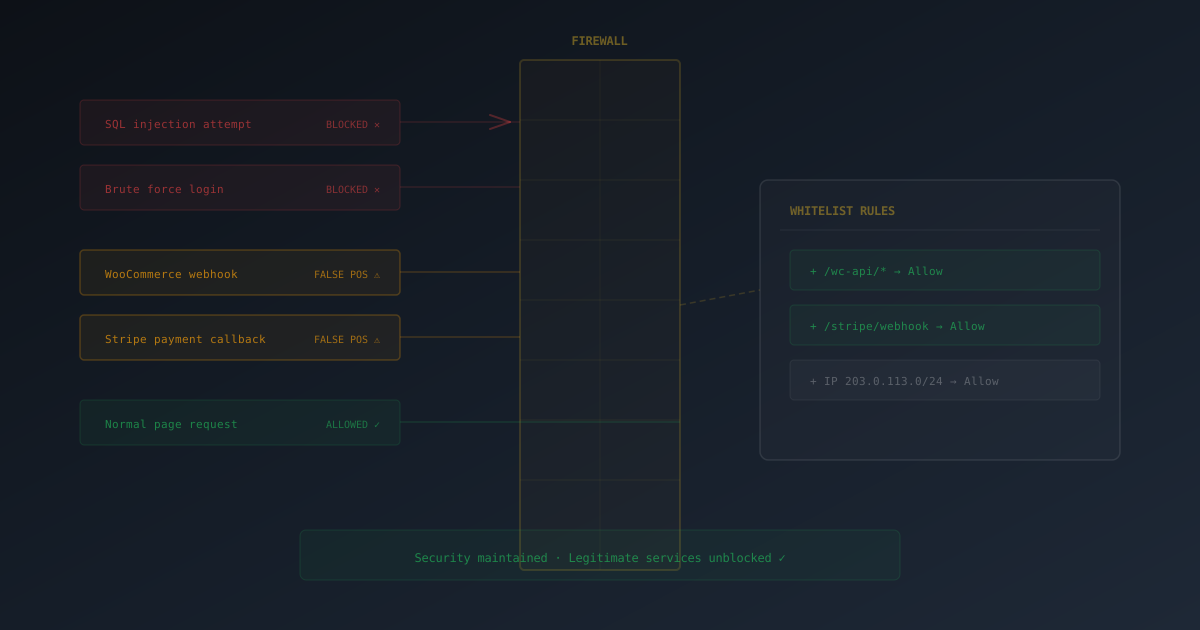
- Firewall (+10). Pattern-matches incoming requests against the OWASP top-10 (SQLi, XSS, LFI, RFI, path traversal). Stops most opportunistic attackers before they reach PHP. If a legitimate vendor request is being blocked, allowlist the specific case rather than disabling the firewall. See our walkthrough on whitelisting false positives.
- File integrity monitor (+10). Watches core WordPress and your plugin/theme files for unexpected changes. Catches webshells that get installed via compromised admin accounts or known plugin vulnerabilities.
The 15-pointer (do this one)
The malware scanner is alone in its weight class for a reason. It is the only proactive component that finds problems already on disk. Everything else above is preventative. If your site does get compromised, the malware scanner is what surfaces it before a customer or Google does. Enable it, schedule a daily scan, and trust the deductions in the score to alert you when something is found.
Why People Slip From A to B to C
Most installs land at A immediately after setup. The drift happens over time, in three predictable ways.
1. The "I turned it off because a customer complained" trap
A vendor's recurring billing API needs to POST to your site, and the firewall blocks it. Or 2FA is too much friction for a low-paid contributor. Or the spam filter is dropping a category of legitimate enquiry. The natural response is to disable the offending feature globally, and a few weeks later you have forgotten you did it.
The right response is almost always to allowlist the specific case, not turn off the feature for everyone. GuardPress supports per-IP firewall exceptions, per-role 2FA enforcement, and contact-form-specific spam settings. The 30 minutes you spend configuring an allowlist preserves 10 points and a tier of protection. The 30 seconds you spend toggling the feature off costs both.
2. The silent −10 from update pile-up
If your Plugins → Updates Available count is 6 or higher, you have already lost a flat 10 points. The grade dropped from A to B and you were not notified, because the dashboard widget shows the new score but does not explain the delta unless you click into the security page.
A reasonable rhythm is to clear the queue weekly. Even on a small site, plugins ship updates faster than you would think. Across a stack of 15 plugins, you will see 1–2 updates a week on average. Five updates is roughly 3–4 weeks of neglect.
3. Reactive malware deductions you missed the email about
If the malware scanner detected anything in the last 7 days, you lost 5 points per threat (up to a 20-point cap). On a site where the malware scanner is set to email on detect, you should be the first to know. If you are not getting those emails (check your SMTP plugin, your spam folder, and the "Email Alerts" settings inside GuardPress) the deductions still happen silently.
Is a C Grade Actually Good Enough?
No. Here is the math, and here is the honest framing.
A C means a score between 70 and 79. To get there from 100, you have lost between 21 and 30 points. There are only four ways to lose 20+ points from features alone:
- Two 10-pointers off, plus one 5-pointer. (Example: 2FA off + firewall off + headers off.)
- One 10-pointer off, plus three 5-pointers. (Example: file integrity monitor off + captcha + XML-RPC enabled + headers off.)
- The malware scanner (−15) plus a 10-pointer. (Example: malware scanner off + brute force off.)
- The malware scanner plus multiple 5-pointers.
Every one of those combinations has the malware scanner or a 10-point feature in it. There is no path to a C that does not go through disabling a meaningful defence. Each of those defences exists because the absence of it is a known, documented attack class:
- No brute force protection: you are accepting unlimited login attempts. Credential-stuffing bots will eventually find a working pair.
- No 2FA: a single password leak (yours or a contributor's) loses the site. Password reuse is universal.
- No firewall: you are relying on every plugin author you have ever installed to have written zero SQL injection bugs.
- No file integrity monitor: if someone uploads a webshell, you will find out when they spam your customers or Google flags the site.
- No malware scanner: same as above, plus you have no daily backstop.
"C is good enough" is the kind of thing people say about their own site right up until the day it is not. The real question is not what grade am I willing to live with. It is which of those five attack classes am I willing to be unprotected against? Because that is what a C grade is, in plain terms.
The one caveat: a C with active monitoring beats an A on a stale install
The grade is a snapshot. A site that scores C but has the malware scanner running, file integrity monitor watching, and a contributor checking the security dashboard weekly is in much better shape than a site that scored A six months ago and has not been logged into since. The grade tells you what is configured, not what is still being watched.
If you are going to stay at C deliberately (because the trade-off is right for your specific setup) make sure you have kept the active components on. Disabling 2FA because it bothers a single internal contributor while keeping the malware scanner and file monitor running is a defensible C. Disabling the malware scanner because you "did not want the emails" while leaving 2FA on is not.
The bottom line
- A (90+): fine for any site, including high-value targets.
- B (80–89): fine for most sites. You are carrying one 10-point feature off, or a 5-pointer plus pending updates.
- C (70–79): you know what you are trading off. Make sure the trade-off is deliberate, not drift.
- D or F (<70): not a security posture, a liability.
Reactive Hits That Drop Your Grade Even on an A Install
You can have every protective feature on and still see your grade drop. Two reactive deductions apply on top of feature configuration, and they are the most common reason a previously-A site quietly slides to B over a few weeks.
Recent malware threats: −5 each, up to −20
If the malware scanner flagged anything in the last 7 days, every detected threat costs you 5 points. Four threats = a 20-point hit, dropping you from A to C. The score itself recovers as the 7-day window rolls past the detection, but only if no new threats appear and the existing ones get marked resolved.
Two things to check if you are seeing this:
- Are they real threats? The 1.6.15 scanner overhaul cut false-positive rates substantially, but it is worth opening Security → Malware Scan and reviewing what was flagged. Anything in
wp-content/uploads/from an old image upload, or in a known-clean plugin, is usually worth dismissing. - Are you receiving the email alerts? If GuardPress is detecting threats but you have not gotten an email, check SMTP and the alert settings before anything else. A silent −20 deduction sitting in your dashboard for a week is the worst-case version of this scenario.
Plugin update pile-up: −10 flat
This one is binary: 5 or fewer pending updates costs nothing. 6 or more costs a flat 10. There is no middle. The lesson is to clear the queue any time it crosses 5. The score deduction is one reason. The bigger reason is that outdated plugins are the most common entry vector after weak passwords. Each plugin update is also a patched vulnerability you are voluntarily not applying.
A rough rule: clear updates the same day you write a blog post or commit code. If you are already in the WordPress admin doing something productive, an extra 60 seconds in the Plugins screen handles it.
The Complete Cheat Sheet
Print this. Stick it next to the GuardPress dashboard. Every feature, what it costs to skip, and a one-line "do I need this?" check.
| Feature | Points | Do I need it? |
|---|---|---|
| Malware scanner | 15 | Yes, always. This is the only daily backstop against a compromise you did not otherwise notice. |
| Brute force protection | 10 | Yes, on every site. The cost of leaving it off is unlimited credential stuffing attempts. |
| Two-factor auth | 10 | Yes for any account with admin or editor capability. Use per-role enforcement for customer-facing roles if friction matters. |
| Firewall | 10 | Yes by default. If a vendor API needs to POST, allowlist the specific IP. Do not turn off the firewall site-wide. |
| File integrity monitor | 10 | Yes. The lag between a compromise and a "weird file appeared" admin notice is often the difference between a 1-hour cleanup and a full restore from backup. |
| Login CAPTCHA | 5 | Yes. Single question, blocks automated traffic, almost invisible to humans. |
| Spam protection | 5 | Yes. Set the threshold conservatively; review the spam queue weekly. |
| Security headers | 5 | Yes, default settings are safe for nearly every site. |
| Disable XML-RPC | 5 | Yes unless you use Jetpack's mobile app, IFTTT, or another integration that explicitly needs it. |
| Force strong passwords | 5 | Yes. Pays for itself the first time it stops a colleague from setting "spring2025". |
Enable the five 5-point features. They cumulatively unlock 25 points, require zero ongoing attention, and do not generate support tickets. The single highest-leverage 30 minutes you can spend in the GuardPress settings.
The Score Is a Diagnostic, Not a Trophy
The grade on the dashboard is not trying to make you feel good. It is a checklist with weights attached. When it says A, every documented attack class has a defence in place and you are operationally current. When it says C, you have explicitly decided to leave one or more attack classes uncovered, deliberately or by drift.
The honest version of "is this grade good enough" is not a feeling. It is the answer to two questions: which defences am I running without, and have I made an actual conscious decision to run without them? If both answers are clear and the trade-off is deliberate, your grade is whatever it is and that is fine. If either answer is "I do not know," fix it before the score goes any lower.
For the step-by-step configuration walkthrough of every feature mentioned in this article, see the GuardPress feature pages. For active-incident response when the score drops because something actually got through, the WordPress malware removal guide is the starting point.