# One-click WordPress backups
> Free WordPress backup plugin with one-click backups, migration tools, and easy restoration. Protect your site with SiteVault.
- Canonical:
- Last updated: 2026-03-15
- HTML version:
---
📦
Free WordPress Plugin
By Jameson · Founder & Lead Developer · Updated September 2026
Complete WordPress backup, restore, and migration in one plugin. Full-site backups (database, plugins, themes, uploads) run reliably on shared hosting via async chunked processing. One-click restore gets you back online in minutes, migration packages ship with a standalone installer and automatic URL remap, and version 1.5.11 adds WP-CLI support so backups fit into your deploy scripts and cron jobs. No account, no cloud upload, no file size caps.
Code Scanned
[

Tested by plugintests.com](https://plugintests.com/plugins/wporg/sitevault-backup-restore-migration/latest "Independent compatibility tests by plugintests.com (refreshed weekly)")
SiteVault walkthrough
Watch the walkthrough
4:21
[Get on WordPress.org](https://wordpress.org/plugins/sitevault-backup-restore-migration/)
[Live Preview](https://playground.wordpress.net/?blueprint-url=https%3A%2F%2Froyalplugins.com%2Fplayground%2Fblueprints%2Fsitevault.json)
Need scheduled backups, cloud storage, and staging? [Upgrade to SiteVault Pro →](https://royalplugins.com/sitevault/)
1-Click
Full Site Backups
Easy
Site Migration
Complete
Plugins, Themes, DB
Core Features
## Everything You Need to Protect Your Site
SiteVault includes all the essential backup features your WordPress site needs - completely free.
By Jameson · Founder & Lead Developer
### Full Site Backups
Create complete backups of your entire WordPress site including database, files, plugins, themes, and uploads with a single click.
### Database Backups
Back up just your WordPress database for quick snapshots before updates, migrations, or major changes to your site.
### File-Only Backups
Create backups of just your files - perfect for preserving themes, plugins, and media without the database overhead.
### Scheduled Backups
Set up daily, weekly, or monthly automatic backups that run in the background, with per-schedule retention pruning built in.
### Easy Migration
Move your WordPress site to a new host or domain with our built-in migration tool. Handles URL replacement automatically.
### Download Backups
Download your backups directly to your computer for safekeeping. Store them anywhere you want for extra peace of mind.
### One-Click Restore
Restore your site from any backup with a single click. Get back online quickly when something goes wrong.
Command Line
## Drive Backups From the Terminal
Full WP-CLI support in 1.5.11. Backup, restore, list, verify, and delete without touching wp-admin — perfect for agencies managing many client sites, unattended cron backups on hosts that disable WordPress cron, and pre-deploy snapshots.
Available commands
$ wp sitevault backup [--type=full|database|plugins-themes|uploads] [--label=NAME]
Create a new backup. Runs synchronously and returns when complete.
$ wp sitevault list [--status=completed] [--format=table|csv|json|ids|count]
List existing backups. Machine-readable formats for piping to other commands.
$ wp sitevault restore [--components=database,uploads] [--yes]
Restore from a backup. Selective restore lets you restore only database, plugins, themes, or uploads.
$ wp sitevault verify
Verify a backup's zip integrity without restoring. Fast health check.
$ wp sitevault delete [--yes]
Delete a backup and its files.
Every destructive command supports `--yes` for unattended runs. `--porcelain` on `backup` outputs just the ID for scripting.
Run `wp sitevault --help` for full option reference on any command.
Screenshots
## Simple, Clean Interface
SiteVault is designed to be intuitive and easy to use, even for WordPress beginners.
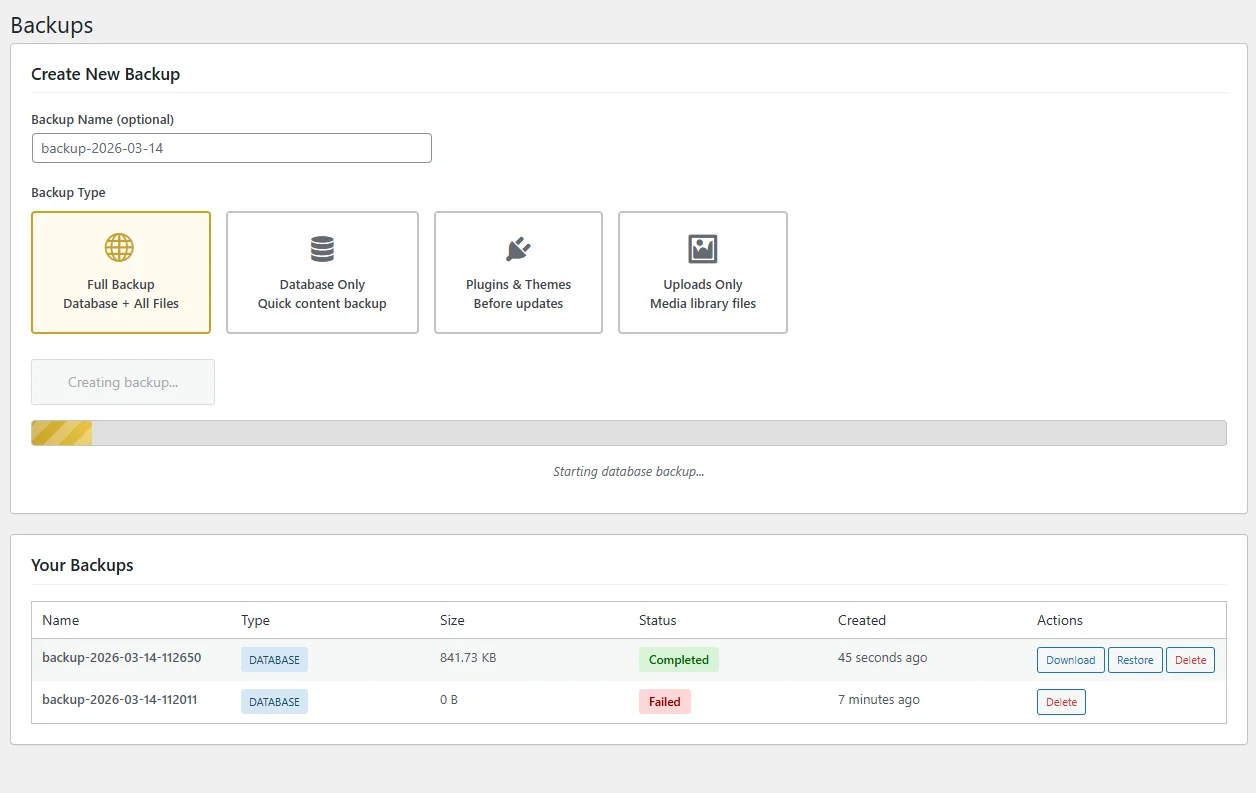
Backups Management
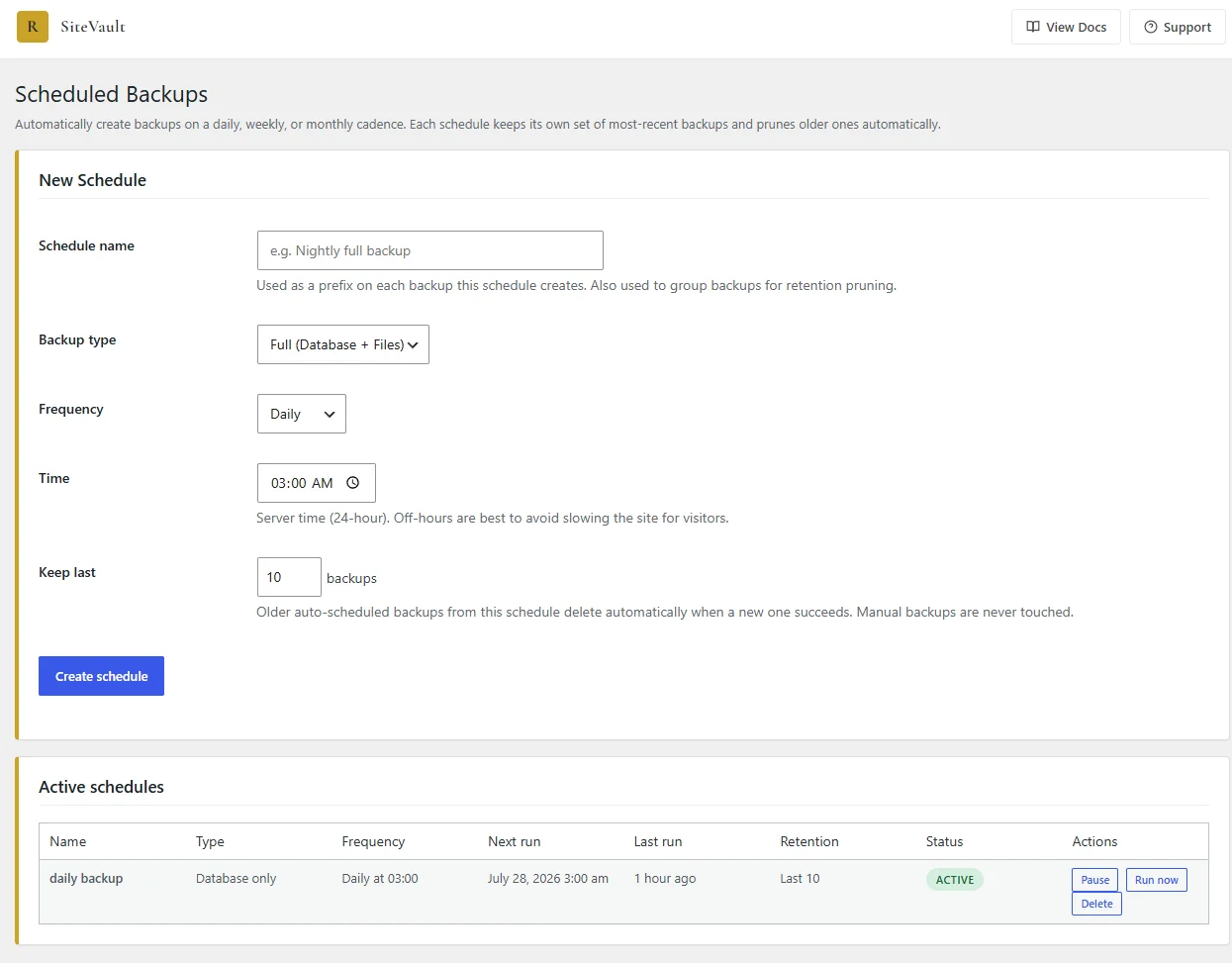
Scheduled Backups
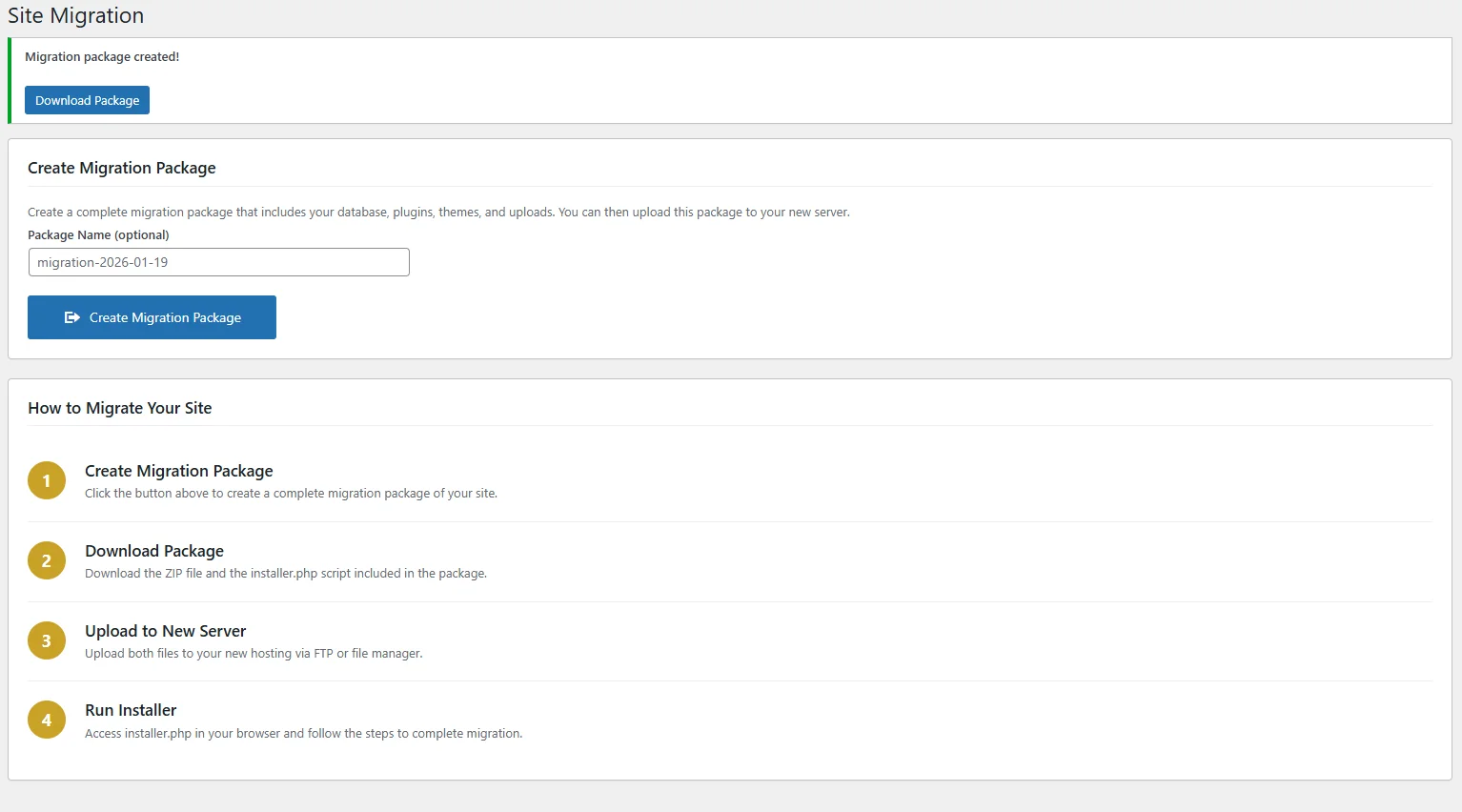
Migration Tool
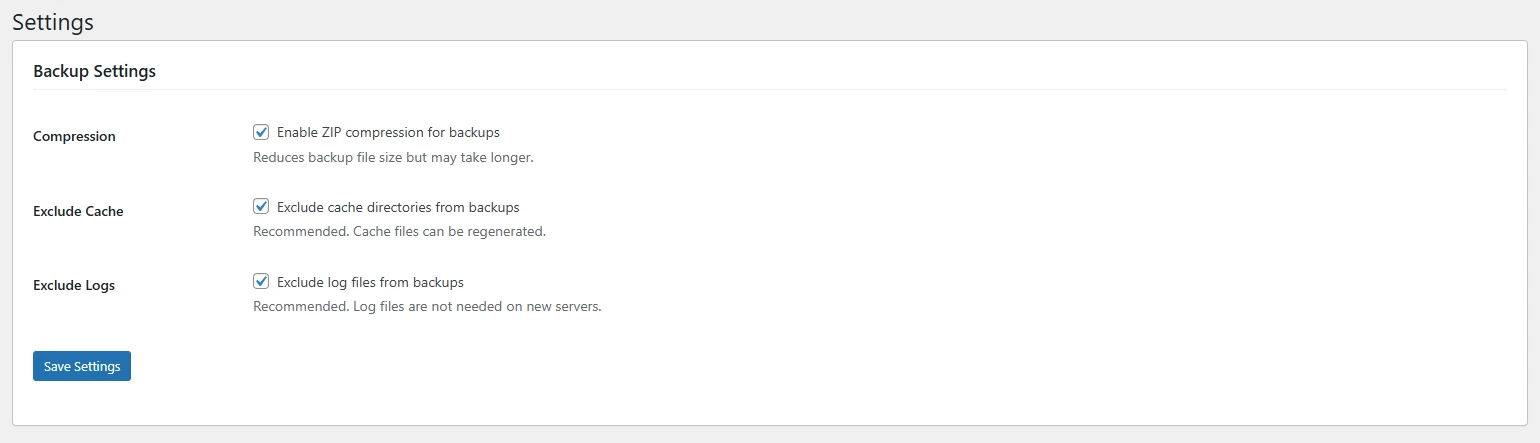
Settings Panel
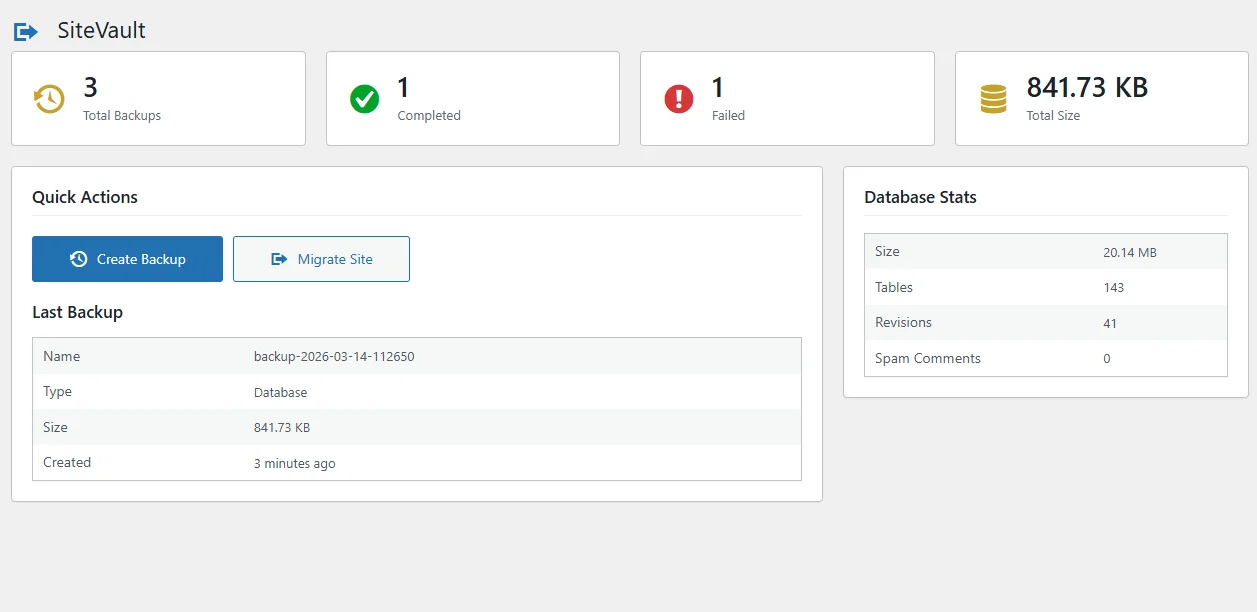
Dashboard Overview
Resources
## Learn, back up, migrate
Articles, docs, and a place to get help.
📚
### From the blog
- [SiteVault vs UpdraftPlus — head to head](https://royalplugins.com/blog/sitevault-vs-updraftplus/)
- [WordPress white screen of death — fix it](https://royalplugins.com/blog/wordpress-white-screen-fix/)
- [WordPress malware removal guide](https://royalplugins.com/blog/wordpress-malware-removal-guide/)
📝
### Documentation
- [Setup & configuration guide](https://royalplugins.com/support/sitevault-lite/)
- [Compare to SiteVault Pro](https://royalplugins.com/sitevault/)
- [WordPress.org plugin page](https://wordpress.org/plugins/sitevault-backup-restore-migration/)
💬
### Get help
- [WordPress.org support forum](https://wordpress.org/support/plugin/sitevault-backup-restore-migration/)
- [Contact the team](https://royalplugins.com/contact/)
- [Browse all articles](https://royalplugins.com/blog/)
Go Pro
## Need More Power?
SiteVault Pro adds cloud storage, scheduled backups, staging sites, site health monitoring, and enterprise-grade features for serious WordPress sites. Choose from 3 plans to match your needs.
#### Cloud Storage
Automatically send backups to Google Drive, Amazon S3, Dropbox, or any S3-compatible storage.
#### Scheduled Backups
Set it and forget it. Schedule daily, weekly, or custom backup intervals.
#### Staging Sites
Create instant staging copies to test changes safely before going live.
#### Incremental Backups
Only back up what changed. Save storage space and speed up backup times.
#### Encryption
Protect your backups with AES-256 encryption for sensitive data.
#### Site Health Monitoring
Business+ plan: SSL, disk space, PHP errors, DB health, plugin updates, and Core Web Vitals.
#### Priority Support
Get fast, dedicated support from the team that built SiteVault.
3 Plans Available
$49/year
Pro $49/yr • Business $129/yr • Agency $299/yr
Business adds Site Health monitoring for SSL, disk space, and Core Web Vitals
[Upgrade to Pro](https://royalplugins.com/sitevault/)