# Make your site accessible to everyone
> Royal Access is a free WordPress plugin that adds a floating accessibility toolbar and an Accessibility Audit with WCAG code fixes and a contrast checker.
- Canonical:
- Last updated: 2026-08-20
- HTML version:
---
♿
Free WordPress Plugin
Royal Access adds a floating accessibility toolbar to your WordPress site — letting visitors adjust font size, contrast, spacing, cursor size, and more. Plus an Accessibility Audit that scans your posts and pages for common issues with plain-English fix guidance, and automatic code fixes for skip links, focus styles, and viewport scaling.
Code Scanned
[

Tested by plugintests.com](https://plugintests.com/plugins/wporg/royal-access/latest "Independent compatibility tests by plugintests.com (refreshed weekly)")
Royal Access walkthrough
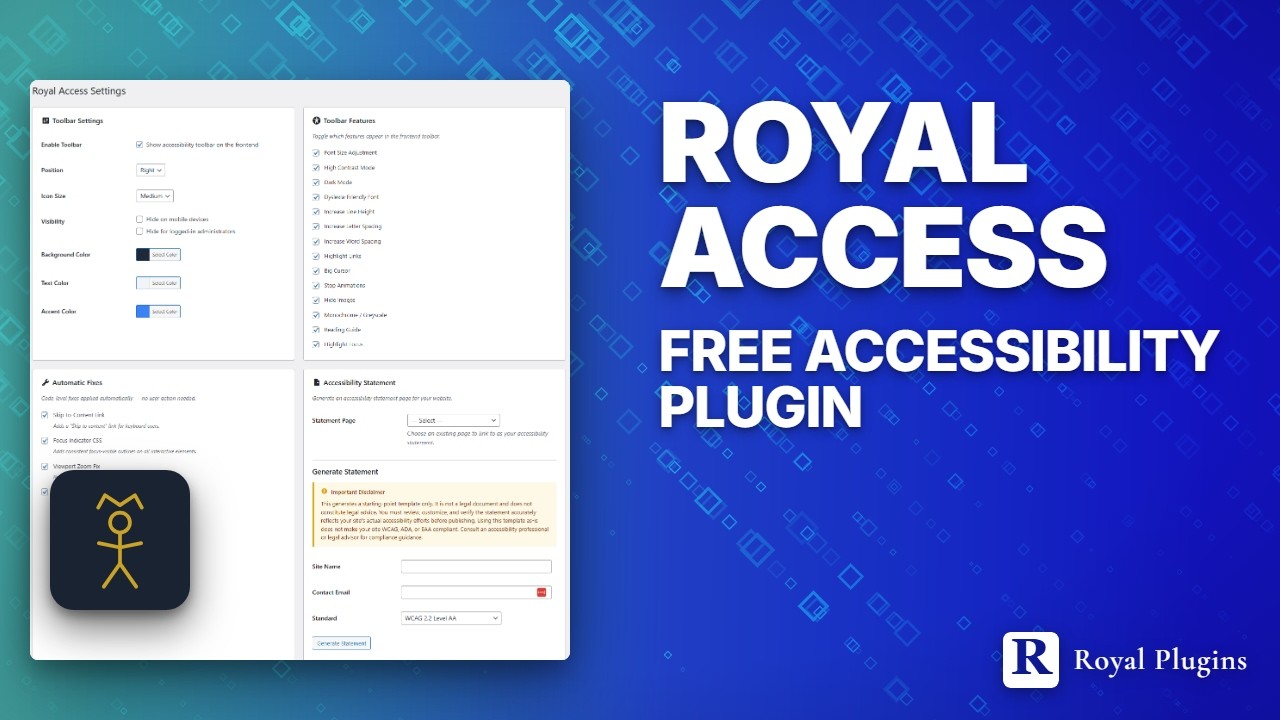
Watch the walkthrough
3:57
[Get on WordPress.org](https://wordpress.org/plugins/royal-access/)
[TRY IT LIVE](https://playground.wordpress.net/?blueprint-url=https%3A%2F%2Froyalplugins.com%2Fplayground%2Fblueprints%2Froyal-access.json)
“Try it live” launches a real WordPress site in your browser with the accessibility toolbar pre-activated — no signup, closes when you leave the tab.
14+
Toolbar Features
4
Auto Fixes
WCAG 2.1
AA-Aligned
Key Features
## Everything you need
Full accessibility controls without the bloat. Just the essentials, done right.
♿
### Floating Toolbar
A customizable accessibility toolbar that floats on any page. Visitors can adjust font size, contrast, spacing, cursor, and more without leaving the page.
👁
### High Contrast Modes
Light, dark, and inverted contrast modes help low-vision users read your content. Applies instantly with no page reload.
🔧
### Auto Skip Link
Automatically injects a skip-to-content link after the body tag, letting keyboard users bypass navigation instantly.
🔎
### Big Cursor & Reading Guide
Large cursor option for motor impairment, plus a horizontal reading guide that follows the mouse to help with line tracking.
🔍
### Accessibility Audit
Scan every published post and page for missing alt text, heading skips, empty or non-descriptive link text, and missing HTML language attribute. Every violation comes with plain-English "how to fix" guidance.
✅
### Contrast Checker
Built-in WCAG contrast ratio checker. Test any two colors against AA and AAA standards right from the admin settings page.
📄
### Statement Generator
Generate a starting-point accessibility statement from your admin panel. Pre-filled with your site name, contact info, and selected standards.
Easy Setup
## One toggle. Instant accessibility.
Enable the toolbar, pick your features, and your visitors get full control over how they experience your site.

Admin settings panel
### What your visitors see

Floating accessibility toolbar with 14 features
Owner Audit
## Find the issues before your visitors do.
Scan every published post and page for the accessibility issues plugins can catch reliably — missing alt text, heading skips, empty or non-descriptive link text, missing HTML language attribute. Every violation ships with plain-English "how to fix" guidance. No jargon.

Accessibility Audit report — per-post findings with fix guidance
Use Cases
## Built for every WordPress site
Whether you run a blog, a store, or a business site, accessibility matters.
🏢
### Business Websites
Meet accessibility expectations for your business site. Give every visitor the tools to navigate comfortably.
🏫
### Education & Government
Schools and public sector sites need accessible content. Royal Access adds a toolbar without redesigning your theme.
🛒
### eCommerce Stores
Help shoppers with visual or motor impairments browse products, read descriptions, and complete checkout.
Resources
## Learn, configure, improve
Articles, docs, and a place to get help.
📚
### From the blog
- [Royal Access vs Ally — head to head](https://royalplugins.com/blog/royal-access-vs-ally-accessibility/)
- [Image SEO & alt text done right](https://royalplugins.com/blog/wordpress-image-seo-optimization/)
- [Try plugins risk-free in WordPress Playground](https://royalplugins.com/blog/try-plugins-live-playground/)
📝
### Documentation
- [Setup & configuration guide](https://royalplugins.com/support/royal-access/)
- [Royal Access for Chrome](https://royalplugins.com/royal-access/chrome/)
- [WordPress.org plugin page](https://wordpress.org/plugins/royal-access/)
💬
### Get help
- [WordPress.org support forum](https://wordpress.org/support/plugin/royal-access/)
- [GitHub repository](https://github.com/royalplugins/royal-access)
- [Contact the team](https://royalplugins.com/contact/)
## Make your site accessible today
Download Royal Access and give every visitor the tools to browse comfortably. Free forever, no account required.
[DOWNLOAD FROM WORDPRESS.ORG](https://wordpress.org/plugins/royal-access/)
[TRY IT LIVE](https://playground.wordpress.net/?blueprint-url=https%3A%2F%2Froyalplugins.com%2Fplayground%2Fblueprints%2Froyal-access.json)